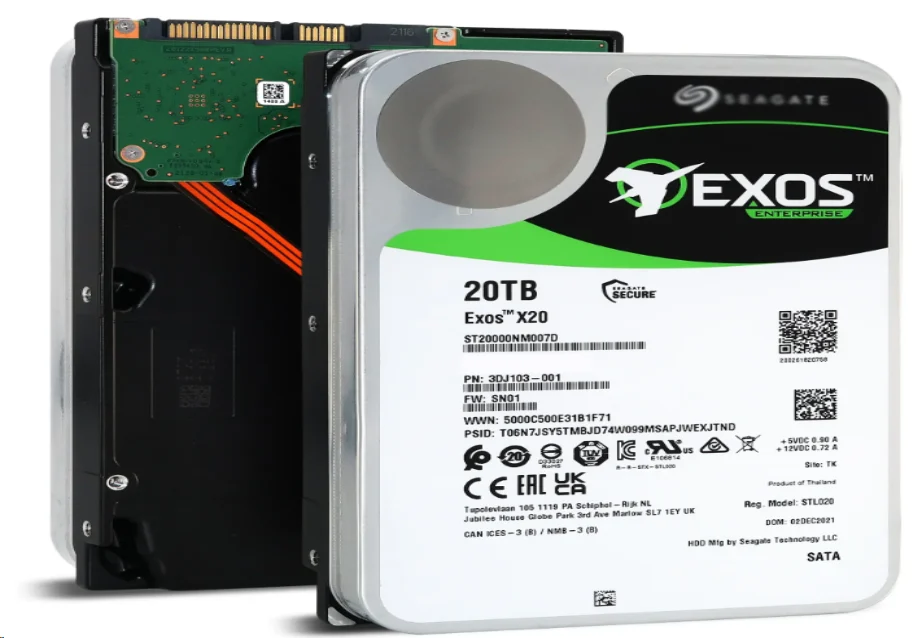
Data center expansion planning often begins with a straightforward question: how much storage capacity will be needed next year? While this is an important starting point, capacity alone does not provide a complete planning framework. Enterprise HDD planning for 2026 should also account for rebuild times, drive interfaces, sector formats, spare-drive policies, procurement lead times, and the service-level requirements of different workloads. Why Enterprise HDD Capacity Planning Is Changing Higher Capacities Can Extend Rebuild Times Higher-capacity HDDs can reduce the…
The Linux enterprise server market is no longer a niche built only around low-cost operating systems. In 2026, buyers are looking at Linux as a platform for AI services, hybrid infrastructure, databases, containers, edge nodes, and long-life application estates. This outlook is for IT planners who need to decide where Linux server spending is likely to create real value. Why the Linux Enterprise Server Market Is Still Expanding AI and Cloud-Native Workloads AI training, inference, automation, web services, and analytics…
Server memory upgrades are usually triggered by business symptoms before anyone reads a DIMM label. A host starts swapping during reporting windows, virtual machines wait for cache, database buffers shrink, or a platform has open slots but not enough capacity per channel. This guide is for infrastructure buyers and administrators deciding whether a 64GB DDR4 RDIMM is the right next step for an existing server fleet. Why 64GB Server RAM Matters in 2026 Capacity Pressure From Virtualization and Databases Virtualization…
Choosing an InfiniBand switch for an AI cluster is less about chasing the largest number on a data sheet and more about matching link speed, port density, topology, and growth plans. A 200G HDR fabric can suit a defined cluster size, but it is not automatically sufficient for every training platform. The key question is whether it can keep accelerator traffic moving as the cluster expands. What 200G HDR Means for AI Networking Bandwidth Is Only the First Test 200G HDR describes the speed of each InfiniBand connection, not the performance of an entire cluster. Real results depend on how many links are active, whether traffic is balanced, how the fabric is oversubscribed, and whether the servers and adapters can use the available bandwidth. For distributed training, the switch must handle repeated east-west exchanges between compute nodes, not only occasional storage or management traffic. An HDR link can therefore be enough when the cluster is designed around that generation of adapters and the application does not require a newer fabric speed. It may be a poor fit when the plan…
M393A2K40DB2-CVF works only with servers that support the same memory technology. These servers must also match the electrical type, speed class, rank organization, and population rules. A good fit should support DDR4 ECC RDIMM memory. It needs to handle 16GB 1Rx4 modules. The system must follow a DDR4-2933 operating profile. How Do You Know If M393A2K40DB2-CVF Is Compatible With a Server? Check Whether the Server Supports DDR4 ECC RDIMM Memory Start with the exact memory class. Do not focus only on the slot shape. The M393A2K40DB2-CVF exact replacement is a Samsung server memory module. It is listed as a 16GB DDR4-2933 ECC Registered DIMM. This module fits server platforms that require a 288-pin, 1.2V RDIMM. Its approved specification set includes 16GB capacity, DDR4-2933, ECC RDIMM, CL21, 1.2V, 1Rx4 organization, and a single-rank x4 architecture based on a (2G x 4) x 18 component layout. Physical fit is only the first checkpoint. DDR4 UDIMM, RDIMM, and LRDIMM modules may look similar. Yet the memory controller sees different electrical behavior. Physical fit does not equal electrical compatibility. Electrical compatibility does not equal…
Enterprise firewall selection is a network-architecture decision, not a search for one maximum number. The right Juniper SRX firewall should match site scale, traffic direction, security services, session behavior, VPN demand, interface growth, and the security team's operating model. Why Are Juniper SRX Firewall Models Important for Modern Enterprise Networks? How Juniper SRX Firewall Supports Distributed Enterprise Security Juniper SRX firewall models can be used at branch offices, campus edges, data center boundaries, and secure WAN gateways. That range matters because distributed enterprises need consistent policy enforcement without forcing every location into the same hardware profile. A compact branch platform can protect a local office and connect it to central services, while a larger modular platform can inspect heavier north-south and east-west traffic. Branch connectivity is about secure reachability between users, applications, cloud services, and headquarters. Campus security adds segmentation, internet-edge protection, and policy control for many user and device groups. Data center protection requires traffic capacity, service density, redundancy, and expansion room. Secure WAN planning adds VPN, routing, remote access, and SD-WAN requirements. What Businesses Should Evaluate Before Choosing…
Linux is a practical foundation for infrastructure that must run AI training, inference, enterprise applications, and cloud-native services together. Compute balance, memory reliability, deployment consistency, security controls, storage growth, and server-platform validation determine whether a Linux AI environment remains useful. Why Is Linux Becoming the Preferred Platform for AI Servers and Enterprise Applications? How Linux Supports Modern AI Workloads and Enterprise Software Linux supports AI server workloads through a mature environment for drivers, libraries, schedulers, databases, web services, and automation. Training jobs can use GPUs and distributed storage, while inference services can run as APIs with predictable controls. Why Open Architecture Matters for Long-Term Infrastructure Flexibility Open architecture reduces dependence on one hardware or application path. Linux can run on physical servers, virtual machines, cloud instances, and edge systems when the kernel, drivers, firmware, and application stack are validated. Open-source tools, container runtimes, databases, and orchestration platforms can be integrated with commercial support. “Open” does not mean automatically compatible: drivers, controllers, BIOS, kernels, and vendor matrices still matter. What Should Enterprises Consider When Building Linux AI Server Infrastructure? Choosing the…
A high-density server rack often needs liquid cooling. This happens when steady load goes past what airflow, fan speed, and room cooling can handle in a reliable way. As a practical rule, air cooling gets difficult around 15-20 kW per rack. Any rack above 20 kW should be viewed as a liquid-cooling candidate. Why Do High-Density Server Racks Challenge Traditional Air Cooling? The Thermal Limits of Standard Air Cooling Systems Traditional air cooling moves cool air over hot components. It then pushes heated air into a managed aisle or room. This method remains useful for many enterprise workloads. But air has a smaller heat-carrying capacity than water-based fluids. CPUs, memory, NVMe storage, PCIe cards, and redundant power supplies often pack into one rack. In these cases, much more air must pass through narrower paths. Huaying Hengtong works across Dell, HP, Super Fusion, IBM, Lenovo, Huawei, Inspur, and other brands. Our business covers PCs, servers, switches, accessories, workstations, storage, and other software and hardware equipment. Airflow Constraints in Packed Server Racks Air cooling depends on clean front-to-back airflow. Cable bundles, blocked…