


RAID rebuild planning should start before a drive fails. The real question is how long the business can safely operate in a degraded state while applications, controllers, drives, and people are under stress.
What Should RAID Rebuild Planning Cover Before a Drive Fails?
Define the RAID Level, Array Width, Drive Capacity, and Workload Profile
Start with RAID level, drive count, drive capacity, media type, controller, workload, and service target. A 12-drive RAID 6 group with 20TB HDDs has a different exposure window from a small mirror set or SSD pool.
Check Drive Health, Backup Status, Alerts, and Spare Readiness
Before a failure, confirm drive health, backup recoverability, alert routing, spare inventory, and replacement authority. A rebuild is not a backup. Huaying Hengtong supports demand analysis, technical verification, equipment selection, network implementation, quality assurance, operation and maintenance, and service support. For enterprise server and storage planning, these capabilities can be presented as support for organizing requirements, checking part-level evidence, coordinating the complete configuration, and verifying the delivered system before an emergency. Our support is evidence-led, not a compatibility guarantee.
Set a Maximum Acceptable Degraded Window Before Failure Occurs
Define the maximum time the array may remain degraded before risk becomes unacceptable. That target drives rebuild priority, spare policy, staffing, and escalation rules. A remote cold spare may be too slow even when the RAID level is resilient.
How Long Will a RAID Rebuild Actually Take?
Estimate RAID Rebuild Time From Drive Capacity and Effective Throughput
A practical estimate is drive capacity divided by effective rebuild throughput, not label speed. An 8TB, 12TB, 16TB, 20TB, or 24TB enterprise drive can take far longer when host I/O stays active. A ST8000NM017B 8TB enterprise HDD page identifies drive class, but planning still needs measured controller throughput.
Why Is Real RAID Rebuild Time Longer Than the Best-Case Estimate?
Real rebuild time expands when host I/O competes for disk access, controller priority is low, surviving drives contain weak sectors, background checks run, or the array spans many members. Treat the best-case estimate as a floor.
How Do HDDs, SSDs, and Large-Capacity Drives Change the Rebuild Window?
HDD rebuilds can suffer from seek activity and long scans. SSD rebuilds can be faster, but still consume controller, PCIe, thermal, and endurance budget. Large drives reduce bay count yet lengthen exposure if throughput does not scale.
How Does RAID Level Change Rebuild Risk?
RAID 5 vs RAID 6: What Happens to Fault Tolerance During Rebuild?
After one drive fails in RAID 5, the array has no remaining parity tolerance. RAID 6 normally retains one extra failure margin, but rebuild still reads surviving members heavily. Larger drives extend the period in which a second fault can matter.
RAID 10 vs Parity RAID: How Is the Rebuild Workload Different?
RAID 10 usually rebuilds from a mirror partner, so fewer drives may carry the reconstruction load. Parity RAID reconstructs missing data across the group, creating broader read pressure. The best choice depends on capacity, write pattern, recovery target, and failure-domain design.
RAID 50 and RAID 60: Why Do Array Width and Failure Domains Matter?
RAID 50 and RAID 60 split capacity into parity groups. The same total capacity can carry different risk when group size and failure domains differ. Narrower groups touch fewer drives during one rebuild; wider groups improve usable capacity but expand exposure.
How Does RAID Rebuild Planning Protect Application Performance?
Balance Rebuild Priority Against Application Latency and Throughput
Higher rebuild priority can restore redundancy sooner, but it can raise latency and queue depth. Lower priority protects production performance but extends the degraded window. Use live metrics, not habit.
Which Workloads Should Be Reduced During a RAID Rebuild?
Postpone backup jobs, database batches, VM migrations, replication catch-up, large sequential writes, scrubs, and noncritical analytics when they compete with rebuild traffic. Remove avoidable load until redundancy is restored.
What Metrics Should Trigger Rebuild Throttling or Escalation?
Watch rebuild progress, throughput, application latency, queue depth, drive temperature, media errors, predictive alerts, and controller warnings. A related enterprise HDD performance guide can frame drive behavior, but the runbook should use site thresholds.
How Should Hot Spares and Replacement Drives Be Planned?
Dedicated vs Global Hot Spare: Which Fits the RAID Environment?
A dedicated spare protects one array and is simple to manage. A global spare can serve multiple arrays when pools share drive type and service target. Choose by array importance, drive count, capacity, interface, replacement lead time, and automatic-rebuild safety.
How Many Hot Spares Should RAID Rebuild Planning Include?
For one small array, one qualified spare may be enough. For multiple arrays, large drives, remote sites, or long procurement windows, plan spares by failure domain and drive family. Include replenishment time.
What Must Be Compatible Before a Spare Can Join the RAID Array?
Capacity is only the first filter. Check usable capacity, SAS/SATA/NVMe interface, sector format, tray, firmware qualification, controller support, backplane, and slot path. A compatible enterprise HDD replacement guide matters because an incompatible spare does not shorten the degraded window.
Hot Spare vs Cold Spare: When Is Immediate Automatic Rebuild Better?
Hot spares reduce unattended exposure and time to rebuild. Cold spares give operators control over timing, firmware checks, and workload reduction. Automatic rebuild suits remote or lightly staffed sites; manual approval may fit tightly controlled production windows.
What Should a RAID Rebuild Runbook Include Before, During, and After Failure?
Before Failure: Record Array Baselines and Confirm Recovery Readiness
Record array status, controller firmware, drive inventory, spare coverage, backup validation, contacts, expected rebuild window, and escalation owners. Huaying Hengtong represents Dell, HP, Super Fusion, IBM, Lenovo, Huawei, Inspur and other brands, and its product coverage includes PC, server, switch, accessories, workstation, storage, and other hardware and software equipment.
During Rebuild: Verify the Correct Drive and Watch for Additional Failures
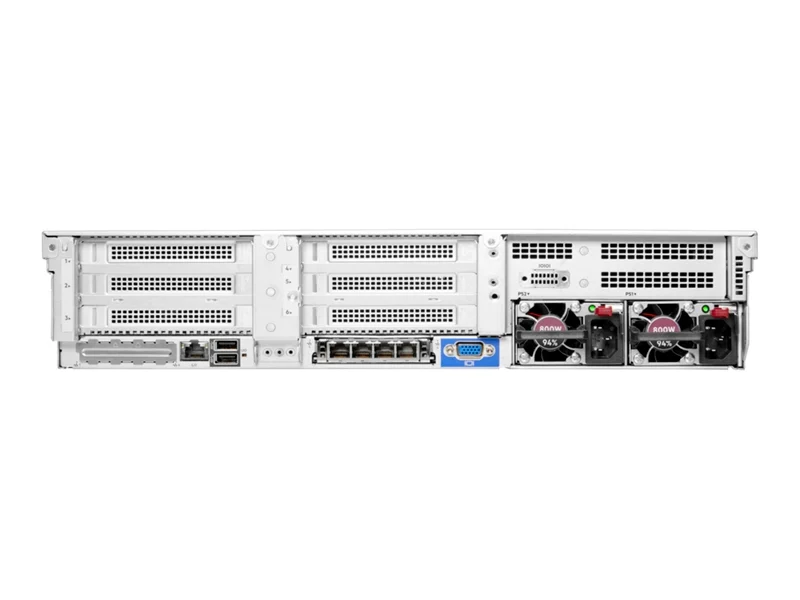
Confirm the failed member, replacement recognition, rebuild start, throughput, temperature, and remaining drive health. In a HPE ProLiant DL380 Gen10 configuration example, drive options include SFF or LFF bays and SATA, SAS, and NVMe devices, with NVMe SSD support tied to a dedicated NVMe backplane. Controller choices also separate an onboard array controller, optional HBA, and optional Smart Array controllers with different protocol, RAID-level, slot, and cache capabilities.
When Should a Rebuild Be Slowed, Stopped, or Escalated?
Escalate if another drive approaches failure, media errors rise, temperatures become abnormal, controller errors repeat, rebuild throughput collapses, or production latency becomes unacceptable. Waiting blindly can be worse when the failure pattern changes.
After Rebuild: Validate Array Health and Restore Spare Coverage
Do not treat 100% rebuild progress as the finish line. Confirm optimal status, integrity checks, controller logs, failed-drive records, monitoring, and restored spare coverage. In a HPE ProLiant DL385 Gen11 configuration example, storage controller options include an HPE Smart Array module or a PCIe-based tri-mode controller with up to 8GB cache, and storage paths include 3.5-inch SATA/SAS, 2.5-inch SATA/SAS/NVMe, EDSFF E3.S NVMe, and a hot-swappable NVMe boot device.
Use Actual Rebuild Results to Improve the Next Plan
Record duration, throughput, application impact, throttling changes, alerts, and operator decisions. The same DL385 Gen11 configuration context lists standard PCIe adapters or two optional OCP 3.0 cards, eight standard PCIe 5.0 slots, optional 2200W 1+1 hot-swappable redundant supplies, and hot-swappable redundant fans. Those dependencies show why the plan must improve after every event.
FAQ
Q: How should RAID Rebuild Planning estimate rebuild time for large enterprise drives?
A: Estimate capacity divided by effective rebuild throughput, then adjust for live I/O, controller priority, drive health, array width, and background tasks.
Q: How does RAID Rebuild Planning differ between RAID 5, RAID 6, and RAID 10?
A: RAID 5 has no remaining parity tolerance after one failed drive, RAID 6 normally keeps one more margin, and RAID 10 usually rebuilds from a mirror partner.
Q: How should RAID Rebuild Planning account for performance loss during a rebuild?
A: Define acceptable latency and throughput before failure, reduce noncritical workload, and adjust rebuild priority when production impact exceeds the threshold.
Q: How many hot spares should RAID Rebuild Planning include for an enterprise RAID array?
A: Base the count on array count, drive family, capacity, failure domains, replacement lead time, service target, and spare-coverage restoration time.
Q: What warning signs should RAID Rebuild Planning account for during a degraded array?
A: Watch for additional predictive failures, rising media errors, abnormal temperature, repeated controller warnings, collapsing rebuild throughput, and latency beyond the runbook limit.