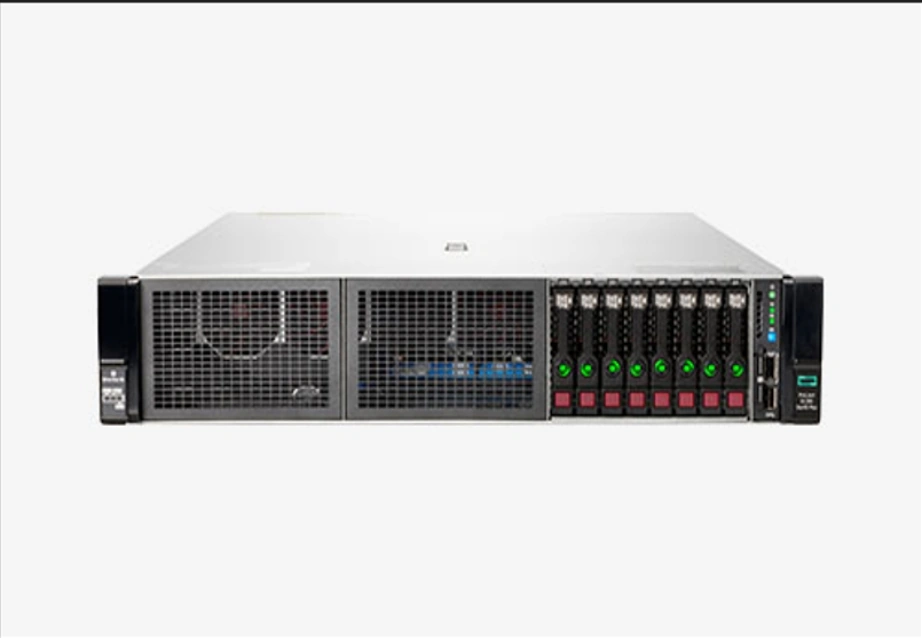
Server Hardware and Business Needs Alignment in Enterprise IT Business Needs vs Server Hardware Requirements: Where Mismatches Usually Happen Server hardware mismatches usually occur when selection starts with specifications instead of workload behavior. Enterprises may choose high-end configurations for safety, only to find that most resources remain underutilized. A better approach is to define business needs in operational terms—such as uptime targets, data retention, or expansion timelines—before translating them into hardware requirements. Clear workload definitions help enterprises avoid overspending while…
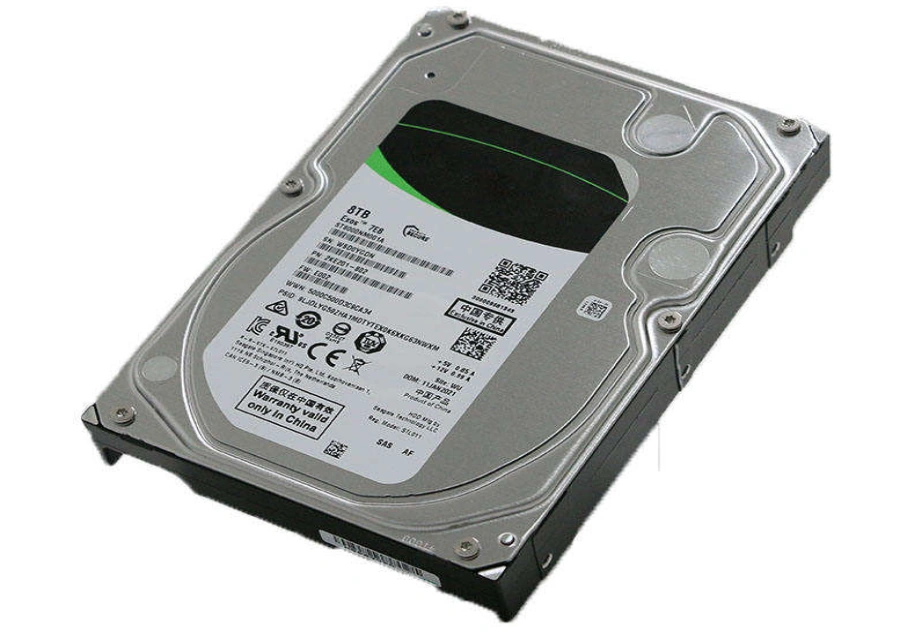
Enterprise HDD Capacity Fundamentals and Why It Matters for Workload Performance Enterprise HDD capacity remains one of the most important metrics when evaluating storage infrastructure for various workloads. High-capacity enterprise-grade HDDs allow organizations to consolidate storage, reduce rack footprint, and minimize operational overhead while maintaining stable performance. Understanding how capacity interacts with reliability and workload demands is critical for effective long-term storage planning. Key Factors That Define Enterprise HDD Capacity and Reliability Enterprise HDD capacity is determined not only by…
TCO for Enterprise Servers: Why Dell and HP Remain Key Evaluation Targets Core Cost Factors Defining Enterprise Server TCO Enterprise server TCO analysis is essential for understanding how hardware, software, and operational expenses shape long-term ROI. Hardware acquisition, configuration flexibility, and lifecycle upgrade requirements determine the initial investment that later influences support contracts and replacement cycles. These cost elements must be evaluated together to form an accurate financial picture. Hardware Acquisition, Configuration, and Upgrade Costs Buying hardware changes TCO right…
Micron Memory Stick Overview & 2025 Usage What Micron Memory Stick Means in Modern Systems Micron memory sticks keep today's business servers and workstations running smoothly. When people talk about a Micron memory stick in the enterprise world, they mean high-quality DRAM modules built for servers. These include DDR4 and DDR5 RDIMM, LRDIMM, and ECC versions that work day and night without trouble. Unlike regular memory for home PCs, these modules are made to handle heavy business loads. In 2025, fast and reliable memory will still decide how quickly applications respond and how many tasks a server can manage at once. Key Types of Micron Memory Stick (DDR5, RDIMM, MRDIMM) Micron offers several families that fit different needs. DDR5 RDIMM modules bring much higher speed and better power use. Standard RDIMM parts already include error correction and work in almost every server. The newest MRDIMM series doubles bandwidth by using several channels inside one stick. Each family gives companies clear choices so they can pick exactly what their workload demands. Why Businesses Choose Micron Memory Modules Companies keep coming…
Why Choose a Linux Enterprise Server for Business Workloads Core Advantages of Linux Enterprise Server for Modern IT Environments Linux Enterprise Server systems offer the reliability and adaptability that today's IT setups demand. A Linux Enterprise Server handles multiple app tasks with solid speed. It also brings steady long-term assistance and a good match with business structures. These qualities turn Linux into a trustworthy base for groups seeking dependable computing power. They rely on it for web operations, data storage, or shared setups. Stability, Lifecycle Support, and Enterprise-Level Security Linux Enterprise Server versions come with long-lasting life cycles. This setup gives companies a clear plan for updates and help. Tools like SELinux and AppArmor strengthen the system's safety. As a result, Linux suits rule-based setups well. Such reliability proves key for sectors running non-stop systems. They simply cannot risk sudden breaks in service. When Linux Enterprise Servers Are the Right Choice for SMBs and Large Organizations Linux Enterprise Server choices work for businesses big and small. They expand easily from one unit to vast groups. Small and medium firms appreciate…
Fibre Channel Switch Types Overview for Modern SAN Architecture What a Fibre Channel Switch Does in Storage Networking A Fibre Channel switch sits at the heart of storage networking. It creates a fast, dedicated path for the most important data traffic. Companies depend on these switches because they decide how smoothly servers talk to storage arrays in a SAN. The switch builds a separate, lossless fabric. This means data moves with almost no delay and never gets dropped. Databases, virtual machines, and backup jobs all count on that steady flow. The switch handles zoning, login processes, and flow control so nothing jams up. When you need predictable speed and safe data movement, Fibre Channel switches deliver exactly that. Why Enterprises Use FC Switches Instead of IP-Based Storage Big companies still pick Fibre Channel switches over regular IP networks for one simple reason. They need rock-solid reliability and tiny delays. Ethernet can lose packets when traffic gets heavy. Fibre Channel never does because it uses buffer-to-buffer credits and a design built only for storage. That matters for busy databases, ERP systems,…
2025 AI Workload Server Upgrades Overview Why legacy servers struggle for AI training & inference AI workload server upgrades in 2025 are essential because legacy servers cannot deliver the compute density, memory bandwidth, and storage throughput required for modern AI training and large-scale inference. AI models now process massive datasets with complex computation patterns, and aging servers often lack the parallel processing, NVMe capacity, and GPU compatibility needed to keep pace. As models grow larger, the gap between workload demands and outdated hardware widens quickly. This mismatch increases training time, raises energy consumption, and limits scalability for real-world enterprise use cases. To address these issues effectively, businesses need to review their entire hardware stack—compute, memory, storage, and networking—to ensure each part can support AI acceleration. This is where structured upgrade planning becomes a strategic investment instead of a cost. Key drivers for server upgrades in 2025 AI server upgrades in 2025 are driven primarily by expanding model sizes, multimodal AI requirements, and real-time inference expectations. Transformer-based models and LLMs need high-core CPUs, fast GPUs, and a memory footprint large…
Why Is Scalable Storage Infrastructure Critical for Managing Explosive AI Data Growth? What Drives the Surge in AI Data Volumes Across Industries? Artificial intelligence spreads fast in every field. This creates huge amounts of data that grow nonstop. AI systems produce massive files during training, testing, and daily use. You get data from cameras, sensors, self-driving cars, and business software. Models become bigger and smarter. Deep learning and large language models need far more space for parameters, training sets, and new versions. One single training run can easily use petabytes. Because of this, companies must have storage that can grow quickly and smoothly. How Does Scalable Storage Infrastructure Support AI Workloads? Good scalable storage lets data flow fast into GPU groups. There is almost no wait time. This keeps training and real-time work running without a stop. The system handles both neat tables and messy files like pictures or videos. That fits most AI jobs, such as image work, language understanding, or future predictions. Modern AI training uses many machines at once. Storage must feed all nodes at the same…