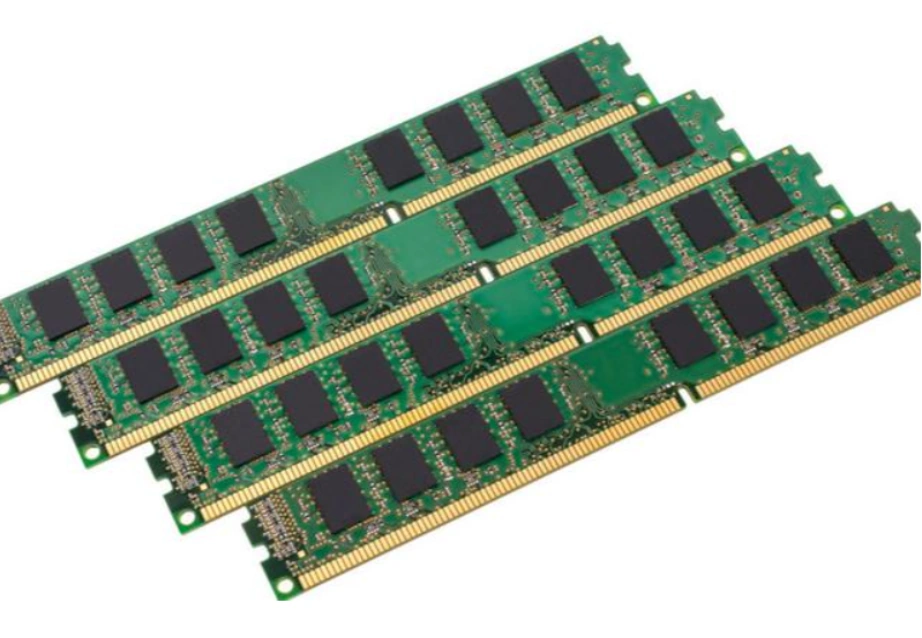
Server memory modules are facing a pivotal transformation in 2026 as enterprise data centers grapple with unprecedented workload demands. The convergence of AI-driven analytics, high-frequency trading, and massive virtualization has made selecting the right Random Access Memory (RAM) more critical than ever before. As an experienced B2B IT hardware distributor, we understand that for IT managers and procurement officers, the challenge is not just technical but also logistical. This guide explores the essential specifications, top models from brands like Samsung…
Navigating the Server Procurement Landscape: Factory New, Refurbished, and Used Options Distinguishing Tiered Hardware Categories Procuring IT infrastructure involves navigating distinct hardware tiers. At the top are Factory New Servers, like the HPE ProLiant DL380 Gen11, sourced directly from authorized channels with full warranties and the latest Intel Xeon Scalable processors. Below this is "Certified Refurbished" gear, followed by the "As-Is" Dell used server market. At Huaying Hengtong (Beijing) Technology Co., Ltd., acting as a premier IT equipment wholesaler, we…
In 2026, enterprise IT environments require an operating system that acts as a stable bridge between on-premise data centers and hybrid cloud architectures. SUSE Linux Enterprise Server SLES remains the premier choice for mission-critical workloads, offering unmatched adaptability for SAP HANA and virtualization. However, maximizing SLES requires pairing it with certified hardware from industry leaders like Dell, HPE, and Huawei. At Huaying Hengtong, we specialize in bridging this gap, providing the infrastructure that allows SLES to perform at its peak.…
What Makes a Fibre Channel Switch Ideal for Enterprise Storage Systems in 2026? Key Performance Indicators to Evaluate in Fibre Channel Switches When picking a fibre channel switch for enterprise storage systems, key measures like port speed, latency, and scalability matter a lot. Today's storage networks need fast connections. Switches with 16Gb, 32Gb, and above all 64Gb Fibre Channel features make sure data flow matches rising needs. These rates fit different tasks. For instance, 16Gb works well for everyday uses. 32Gb handles busy transaction setups. And 64Gb suits time-critical virtual setups or data analysis tasks. Latency and throughput play big roles in data-heavy systems, too. Devices like the Brocade G720 are built to keep delays low. This boosts data retrieval speeds and backup processes. Plus, scalability is essential in changing enterprise SANs. Fibre channel switches that allow add-on modules, such as the HPE SN6730C, give room for easy growth in expanding networks. How Reliability and Redundancy Shape Mission-Critical Applications Enterprise storage systems rely on steady operation. So, a fibre channel switch needs strong reliability traits. These include backup power units…
Can DL380 Servers Handle Enterprise AI Workloads Efficiently? What Makes HPE ProLiant DL380 Gen10/Gen11 Servers Suitable for AI? The HPE ProLiant DL380 Gen10 and Gen11 servers are built to handle tough enterprise AI tasks. They use a strong GPU setup and a flexible structure. The HPE ProLiant DL380 Gen11 server can hold up to 8 single-width GPU cards or 3 double-width GPU cards. This lets businesses use strong NVIDIA® GPUs for AI speed-up. Plus, it works well with AI/ML containers from NGC. As a result, it gets simpler to set up machine learning tools and models. Container management is key for growing AI setups. The DL380 works smoothly with Red Hat® OpenShift. This helps businesses run container-based AI tasks well. It fits your mixed setup. The HPE ProLiant DL380 Gen11 server makes it easy to handle computing systems. It offers a straightforward and adaptable way to operate and maintain. This ease is very useful in multi-node AI training setups. Those setups need control over virtual and direct hardware environments. The modular design of the DL380 series enhances adaptability in…
Why IT Hardware Procurement Is Entering a New Phase in 2026 IT hardware procurement in 2026 is entering a new phase as enterprises face higher uncertainty and tighter infrastructure dependencies. Procurement is no longer a back-end purchasing task that follows IT design decisions. Instead, it has become an early-stage strategic function that directly influences project feasibility, deployment timelines, and long-term system stability. Across enterprise environments, procurement teams are increasingly involved at the planning stage. Decisions about sourcing servers, storage, and networking equipment now shape how reliably infrastructure can be built, expanded, and maintained over time. The Shift From Price-Driven to Risk-Aware IT Hardware Procurement Risk-aware IT hardware procurement is replacing purely price-driven buying decisions across enterprise organizations. Cost still counts a lot. But companies have seen that the cheapest pick can bring shipping holdups, fit problems, or later swap needs. These issues often cost more than quick gains. Supply Chain Volatility Is Reshaping Procurement Priorities Supply chain volatility is reshaping IT hardware procurement priorities worldwide. Wait times for company hardware grow harder to predict. So, stock levels and shipping…
Understanding TCO for Enterprise Servers in Real-World IT Planning Total cost of ownership (TCO) has become one of the most critical evaluation metrics in enterprise server planning. For most organizations, the purchase price of a server represents only a fraction of its actual long-term cost. Power consumption, support coverage, management complexity, replacement cycles, and operational risk all accumulate over several years and often outweigh the initial investment. In real-world IT environments, enterprises typically operate servers over a three- to five-year lifecycle. During this period, even small differences in deployment assumptions or support strategies can lead to substantial cost gaps. This is why many enterprises rely on mature platforms—such as Dell PowerEdge servers—as reference points when evaluating server TCO, even when final purchasing decisions involve multiple vendors. At Huaying Hengtong, we work with enterprise IT teams that are no longer asking "which server is cheapest," but rather "which server delivers predictable, controllable ownership cost over time." Core Cost Categories Used in Enterprise Server TCO Calculations When calculating enterprise server TCO, the first step is not comparison but classification. Costs must…
Hybrid Cloud Security Context and SRX Deployment Rationale The Role of Network Firewalls in Modern Hybrid Cloud Architectures Juniper SRX Firewall plays a central role in modern hybrid cloud architectures by securing traffic flows between on-premises data centers, private cloud platforms, and public cloud environments. As enterprises adopt hybrid models to balance cost, performance, and compliance, the firewall becomes the key control point that enforces security policies across heterogeneous environments. A well-planned Juniper SRX Firewall implementation ensures that security policies remain consistent even as workloads move between physical infrastructure and cloud platforms. Security Gaps That Drive SRX Adoption in Multi-Cloud Environments Businesses often pick Juniper SRX Firewall to fill security gaps and close holes in multi-cloud setups. Old edge-only firewalls do not handle tricky inside traffic or changing cloud links. SRX units offer strong physical gates and virtual firewall options. Thus, companies can tackle division, checks, and entry controls in hybrid areas. They do this without rebuilding their security setup. Why Hybrid Cloud Deployments in 2026 Demand Updated Implementation Planning Juniper SRX Firewall implementation planning in 2026 must reflect…