


Matching individual specifications is not the same as validating the complete server configuration. A socket-matched CPU, correct DDR generation, and supported drive protocol can still produce a slow, incomplete, or unbootable system. Server BOM validation must test every dependency from workload requirements through delivered labels.
What Must Be Confirmed in a Server BOM Before Purchase?
Translate the Workload and Deployment Environment into Validation Requirements
Define the workload, OS or hypervisor, storage pattern, throughput, availability target, rack environment, and expansion plan. Convert each into a testable requirement for the current and maximum planned build.
Freeze Exact Part Numbers, Quantities, and Configuration Assumptions
A purchase-ready BOM must freeze the CPU SKU and quantity, DIMM model and count, RAID or HBA, drives, NIC, riser, backplane, PSUs, cables, rails, enablement kits, and licenses. Link every line to a slot, bay, or function. A server product catalog identifies platform candidates; the approved BOM must define the exact option set and assumptions.
How Do CPU and Memory Dependencies Affect Server BOM Compatibility?
Validate CPU Generation, Socket, Chipset, BIOS, TDP, and Socket Count
The same socket does not prove generation support. Check platform generation, chipset, BIOS, supported CPU list, TDP ceiling, thermal kit, and socket count. A second CPU may require a matching processor, extra fans, another heatsink, and symmetric memory. Reconcile any server specification review with the manufacturer configurator.
Check Memory Generation, Module Type, Rank, Speed, and Capacity Limits
Confirm DDR generation, ECC, RDIMM/LRDIMM/MRDIMM type, rank, x4 or x8 organization, DIMM capacity, and CPU memory-controller limits. Do not mix module families without explicit approval. Arithmetic capacity can exceed processor, BIOS, or slot limits, and installed speed can be lower than the DIMM label.
Verify DIMM Population Rules and the Actual Operating Speed
Map every DIMM to an exact slot. Check the first slot per channel, DIMMs per channel, rank loading, balanced channels, and two-CPU symmetry. Mixed capacities or ranks can reduce speed; invalid order can prevent POST. Use a server memory compatibility guide to identify checks, but follow the platform population table.
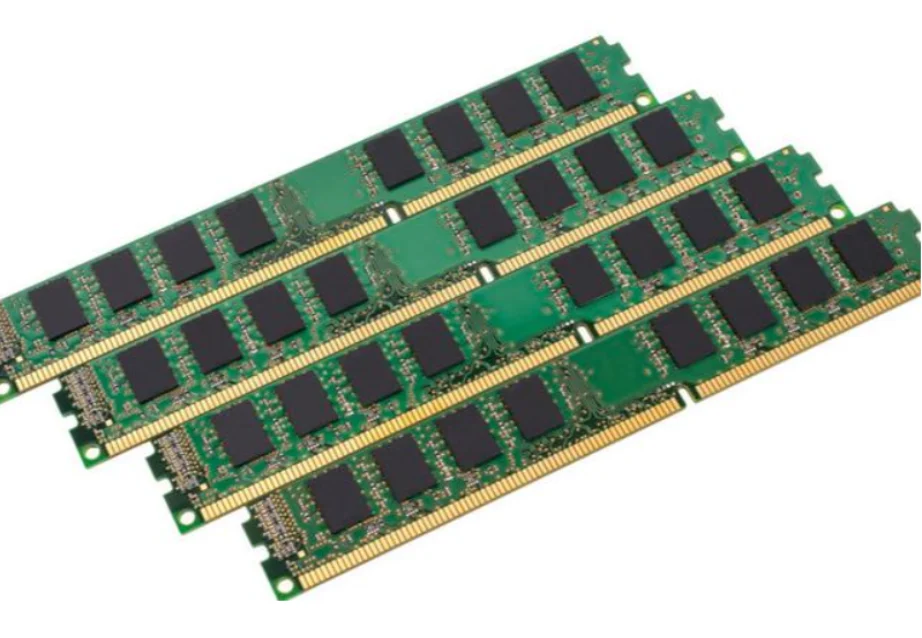
Huaying Hengtong’s source data shows the platform effect clearly. The HPE ProLiant DL380 Gen10 is listed with first- to second-generation Intel Xeon Scalable processors, CPU TDP up to 205W, 24 DDR4 slots, 2666/2933 MHz operation, and RDIMM or LRDIMM support. Those fields describe one dependent platform, not a list of interchangeable parts.
How Should RAID, Backplane, and Storage Compatibility Be Validated?
Validate the Complete Storage Path Instead of Checking the Drive Alone
Trace the drive through carrier, bay, backplane, cable or expander, controller, PCIe lanes, firmware, and driver. Any unspecified hop fails approval. “Supports NVMe” does not prove that the ordered bays are wired for it.
Drive Form Factor, Interface, and Protocol
Match SFF/LFF dimensions and carriers, then verify SAS, SATA, NVMe, U.2, U.3, EDSFF, or M.2 support per bay. Record endurance and sector format when relevant. A tri-mode label does not authorize every protocol in every position.
Backplane, Cable, Expander, and PCIe Lane Mapping
Specify the backplane, NVMe enablement kit, cables, expander, connector destinations, and lane allocation. Confirm any effect on PCIe slots or risers. Huaying Hengtong’s DL380 Gen10 data ties NVMe SSD support to a dedicated NVMe backplane, showing why the drive alone is insufficient.
RAID or HBA Controller, Cache Protection, and Supported RAID Levels
Check protocol, drive count, RAID levels, cache, battery or supercapacitor protection, boot support, pass-through, and firmware. The platform data separates an onboard controller, optional HBA, and optional Smart Array controllers with different protocol, RAID, slot, and cache capabilities. Freeze one controller and its accessories.
Separate Boot Storage from Application and Data Storage
Separate boot devices from databases, VM datastores, archives, and write-intensive data. This protects application bays and simplifies recovery and controller ownership.
Calculate Usable Capacity, Spare Policy, and Expansion Limits
Calculate post-RAID usable capacity, hot spares, rebuild exposure, and maximum drive count. Future drives may require another controller, cable set, backplane, riser, or license. Include degraded-operation and rebuild impact.
How Do NICs, PCIe Slots, and Platform Support Affect the Server BOM?
Confirm NIC Form Factor, Lane Width, Riser Position, and Port Speed
Distinguish OCP NICs from standard PCIe adapters. Validate generation, lane width, riser position, bracket height, port speed, and airflow. Map the NIC, RAID card, HBA, GPU, and other adapters. The HPE ProLiant DL385 Gen11 data separates PCIe adapters, two optional OCP 3.0 cards, and eight standard PCIe 5.0 slots; the BOM must preserve that distinction.
Check Switch, Optics, Cabling, Driver, Firmware, and HCL Support
Match NIC ports to switch speed, breakout mode, supported optics, DAC or fiber, polarity, cable length, OS or hypervisor driver, firmware, and HCL. Record both link ends and the firmware pair used in testing.
How Do Power, Cooling, and Physical Constraints Change the Final Server BOM?
Validate PSU Capacity at the Maximum Planned Configuration
Budget CPUs, DIMMs, controllers, NICs, drives, fans, and upgrades. With 1+1 redundancy, one PSU must carry the required load under vendor derating and input-voltage rules. The DL385 Gen11 source lists optional 2200W 1+1 hot-swappable supplies and CPUs up to 400W each, showing why PSU choice follows the complete build.
Confirm Cooling Kits, Fan Classes, Airflow, and Ambient Limits
Check whether high-TDP CPUs, fast NICs, dense NVMe, GPUs, or full drive sets require performance fans, extra modules, special heatsinks, baffles, or defined airflow. Validate ambient limits; PSU capacity does not prove adequate heat removal.
Verify Rack Depth, Rails, PDUs, Power Cords, and Cable Clearance
Confirm chassis depth, rails, rack load, rear clearance, cable management, PDU socket, input voltage, regional cord, and service access. Measure with rack doors closed and include bend radius for power, DAC, fiber, and storage cables.
What Proof Should Buyers Require Before Approving a Server BOM?
Build a Line-by-Line Server BOM Compatibility Matrix
Give every BOM line a part number, quantity, location, dependency, evidence source, status, and owner. Huaying Hengtong documents experience in demand analysis, technical verification, equipment selection, network implementation, quality assurance, operation and maintenance, and service support. Its documented product coverage includes servers, switches, storage, accessories, and related hardware and software equipment. It also provides customized information technology solutions for multiple industries. Our role can coordinate checks, but approval rests on evidence.
Manufacturer Configuration Guide, QVL, and HCL Evidence
Attach a manufacturer configuration guide, QVL, or HCL reference to every critical component. Record version and access date. Evidence must cover the exact generation, part number, slot, protocol, OS, and configuration branch.
Firmware, License, Accessory, and Option-Kit Evidence
List required BIOS, controller and NIC firmware, remote-management license, riser, cable, carrier, and enablement kit. Treat every accessory as a BOM line, not an installation note.
Assumptions, Exclusions, and Substitutions Requiring Revalidation
State exclusions and open assumptions. Require revalidation for CPU, DIMM, RAID card, NIC, drive, PSU, backplane, or riser substitutions. An “equivalent” part is unapproved until the matrix is updated.
Run a Cross-Component Contradiction Check Before Issuing the Purchase Order
Check CPU against DIMMs, controller against backplane and drives, NIC against riser, drive count against power, and the full build against cooling. Resolve contradictions before freezing the purchase-order BOM.
Match the Approved BOM with Delivered Labels and Pre-Shipment Test Records
Reconcile the quotation, purchase order, labels, serial numbers, firmware inventory, slot map, RAID layout, NIC test, and pre-shipment report. Correct or revalidate every difference before acceptance.
FAQ
Q: How do I validate a Server BOM before placing a purchase order?
A: Freeze exact parts and quantities, map dependencies, attach manufacturer evidence, run contradiction checks, and approve a versioned compatibility matrix.
Q: What information should a Server BOM include for compatibility checking?
A: Include exact components, accessories, licenses, firmware assumptions, slot and bay locations, redundancy, and expansion requirements.
Q: Can compatible CPU and memory parts still fail in the same Server BOM?
A: Yes. CPU generation, BIOS, TDP, memory-controller limits, DIMM type, rank, population order, DPC, and socket symmetry can change support, speed, or boot behavior.
Q: How do I check RAID controller and NVMe compatibility in a Server BOM?
A: Validate the NVMe drive, carrier, enabled bay, backplane, cables, PCIe lanes, controller or direct-connect path, firmware, boot support, driver, and RAID or pass-through requirement.
Q: How much power headroom should a Server BOM include for NICs, drives, and future upgrades?
A: Use the manufacturer’s configuration-level power tool and site derating. Size the maximum planned build and verify that one PSU can carry the required load during a 1+1 failure.