


ECC Memory Modules are becoming an important need for enterprise servers. Memory now forms part of the reliability boundary. It is not just a speed component. In 2026, servers will hold bigger datasets. They will run virtual machines. They will support AI-assisted analytics. They will stay online for long operating windows. If one memory error reaches an application stack without notice, the impact can spread. It can move from one process to databases, virtual hosts, and shared services.
Why Are ECC Memory Modules Becoming Essential for 2026 Servers?
How Modern Server Workloads Increase Memory Reliability Requirements
Modern infrastructure puts constant stress on memory subsystems. Virtualization hosts keep several guest systems active at once. Database and analytics platforms cache indexes and working sets in RAM. AI workloads can keep memory channels busy for long periods. A memory module is shared by applications, operating systems, hypervisors, and storage services.
Huaying Hengtong works across servers, storage, accessories, workstations, switches, and other software and hardware equipment. Memory planning often appears inside a broader configuration discussion. When our technical verification and equipment selection work supports procurement, memory reliability has to be checked against processor generation, platform limits, power, cooling, and the final BOM.
Why Data Integrity Matters More Than Raw Memory Speed
Raw memory speed matters. Yet enterprise servers are not built around bandwidth alone. A fast module that allows undetected data errors can create more risk than a slower module that protects data integrity. ECC is not a performance accelerator. Its value is reducing the chance that a memory fault becomes corrupted data or a failed workload.
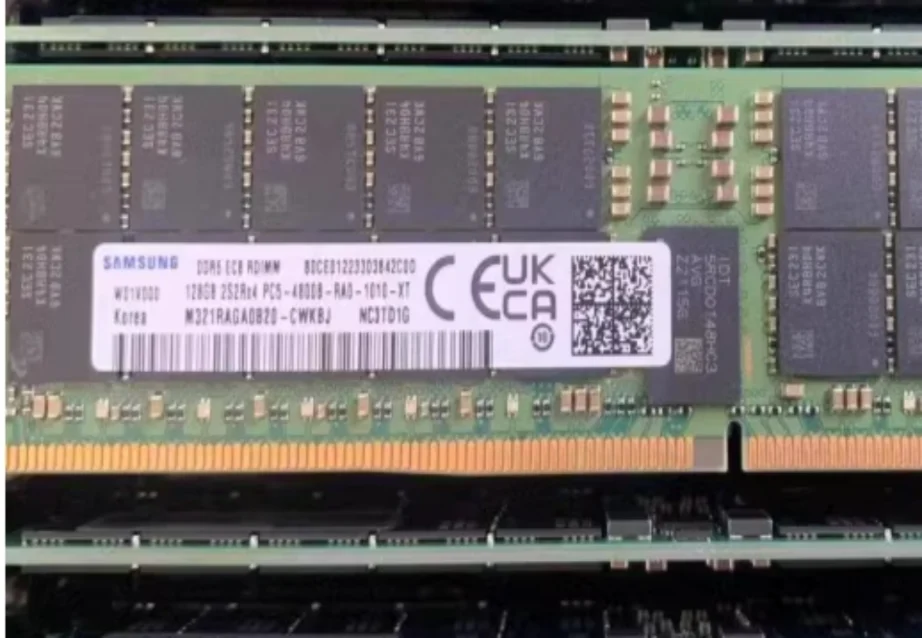
For DDR5 upgrades, 32GB DDR5-4800 ECC RDIMM server memory shows why buyers evaluate capacity, speed, ECC support, and registered architecture together instead of treating memory as a generic commodity.
How Do ECC Memory Modules Protect Enterprise Server Data?
How ECC Error Correction Detects and Fixes Memory Errors
ECC memory adds extra check information to stored data. When the memory controller reads data back, it compares the data bits with the check bits. A common implementation can detect and correct many single-bit errors. This happens before the operating system or application receives bad data. More serious multi-bit errors may be reported instead of silently accepted.
This is why ECC Memory Modules are common in servers that handle transactional workloads, virtual machines, and long-running services. Server memory operates continuously. Even rare events become meaningful when multiplied across capacity, uptime, and workload density.
Why Error Detection Helps Prevent Silent Data Corruption
Silent data corruption is dangerous. The system may continue running while the data has already changed. A database page or virtual machine memory region can become unreliable without an obvious failure message. ECC helps turn part of that invisible risk into a corrected event or reportable condition.
For high-value workloads, this matters more than a benchmark difference. A server that protects data consistency is easier to trust and maintain.
What Makes ECC Server Memory Modules Different From Standard RAM?
ECC Memory Modules vs Non-ECC Memory for Server Environments
Standard consumer RAM is usually selected for desktop responsiveness or general office workloads. Server memory is selected for sustained operation, platform compatibility, and error handling. ECC modules include additional circuitry and data paths for error checking. In many enterprise platforms, server memory is also validated through vendor compatibility lists and population rules.
This difference matters in 24/7 systems. If a server host corrupts shared data, multiple users and services may be affected. That is why ECC should be evaluated as part of the reliability architecture.
Why RDIMM Architecture Is Common in Enterprise Servers
Registered DIMMs add a register between the memory controller and memory chips. This buffering helps maintain signal integrity when a server uses multiple DIMMs and high capacity. RDIMM architecture is one reason enterprise platforms support dense memory configurations more reliably than typical desktop systems.
The HPE ProLiant DL380 Gen10 platform fields include 24 DDR4 DIMM slots, 2666/2933 MHz speed references, and RDIMM/LRDIMM support. The HPE ProLiant DL385 Gen11 memory fields list up to 24 DDR5 memory modules, up to 4800MT/s, RDIMM or LRDIMM support, and up to 6 TB maximum memory capacity. These examples show why generation, module type, and architecture must be reviewed together.
How Should Businesses Choose the Right ECC Memory Modules in 2026?
Capacity, Speed, and Memory Generation Selection
The right memory module depends on workload behavior. A lightly loaded server may need moderate capacity. A virtualization host, database node, or analytics system may need higher density. DDR4 remains relevant for installed platforms. DDR5 is common in newer servers.
Capacity choices such as 16GB, 32GB, 64GB, or larger modules should match CPU sockets, memory channels, workload headroom, and the upgrade plan. Buyers should check whether the server supports RDIMM, LRDIMM, or another module type before ordering. 128GB DDR5-4800 ECC RDIMM server memory may fit dense workloads only when the platform, processor, BIOS, and DIMM rules support it.
Why Rank, Organization, and Compatibility Checks Matter
Factors such as 1Rx4, 2Rx4, and 2Rx8 will have an impact on compatibility. Having two modules with the same capacity and speed does not necessarily mean they are compatible. A server supplier may accept one organization and not another organization for a particular population pattern.
It is recommended that the procurement team ensure that they confirm the server version, processor generation, memory type, speed, capacity, organization, BIOS version, QVL/HCL status, and DIMM population rules before proceeding with installation. Huaying Hengtong is able to utilize requirement analysis, technical validation, equipment selection, quality assurance, operations and maintenance, and service support to arrange the requirements, component validation, and configuration validation.
Which Server Workloads Benefit Most From ECC Memory Modules?
Virtualization and Cloud Infrastructure
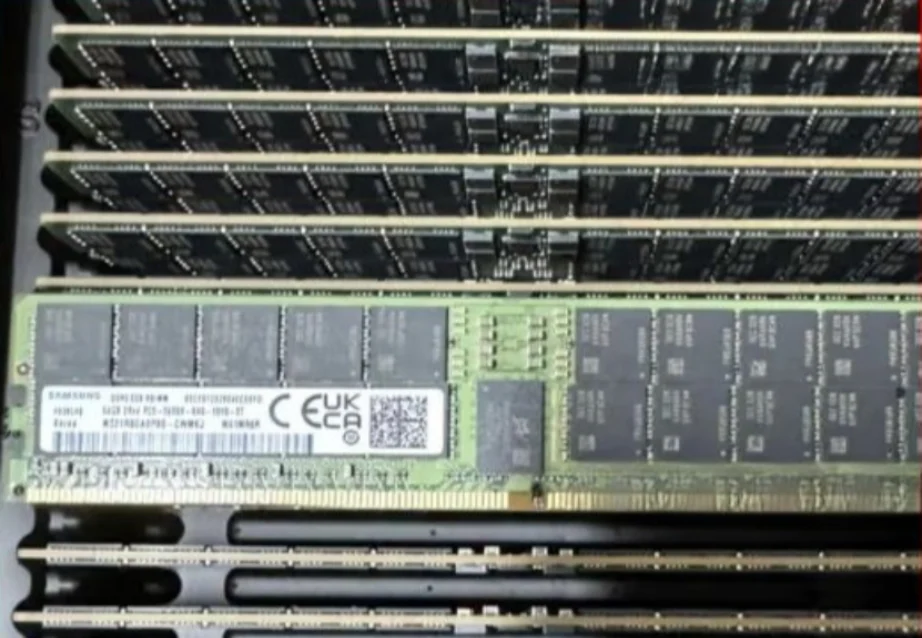
Virtualization concentrates risk. Multiple virtual machines share the same host memory. A hardware memory issue can affect more than one guest workload. ECC Memory Modules help protect the host layer. They make error reporting more visible for maintenance teams.
Databases, Analytics, and Enterprise Applications
Databases and analytics platforms often keep critical data structures in RAM. Enterprise applications may hold session data, queues, or transaction state in memory for long periods. ECC does not replace backups or clustering. It strengthens the hardware layer.
For legacy DDR4 platforms, 8GB DDR4-2933 ECC RDIMM server memory can be evaluated when the server still follows DDR4 population rules and needs verified registered memory rather than consumer RAM.
How Can Organizations Plan ECC Memory Upgrades Without Compatibility Risks?
Why Matching Existing Server Memory Specifications Matters
Mixing incompatible modules can cause boot failure. It can cause reduced speed, instability, or a forced downgrade. Even when modules appear similar, rank, organization, voltage, generation, speed, and firmware support can change the result. The safest upgrade process starts by documenting installed modules and the target configuration.
The HPE ProLiant DL380 Gen10 and DL385 Gen11 examples also show why maximum values need care. “Up to” DIMM counts, speed references, and maximum capacity do not mean every processor, chassis, BIOS, or quote can use every upper limit at the same time.
What to Verify Before Installing New Memory Modules
Before installation, organizations should verify the server model, processor generation, memory generation, ECC and registered module support, capacity, speed, rank, organization, QVL/HCL listing, BIOS level, and DIMM population order. Final approval still requires exact part numbers, manufacturer configuration guides, approved compatibility matrices, and test records.
This process is slower than buying by capacity alone. It reduces compatibility risk. In 2026 infrastructure, that discipline is part of reliability planning. Choose memory the workload needs, the platform supports, and the organization can verify.
FAQ
Q: What are ECC Memory Modules used for in servers?
A: They help detect and correct memory errors in servers. They reduce the risk that corrupted data reaches operating systems, databases, virtual machines, or enterprise applications.
Q: Why are ECC Memory Modules important for enterprise servers?
A: Enterprise servers run long hours. They support shared workloads. They process critical data. ECC protection helps improve data integrity. It makes some faults visible before they become larger issues.
Q: Can ECC Memory Modules improve server reliability?
A: Yes. ECC does not make a server faster by itself. It can improve reliability by correcting many single-bit errors. It helps administrators detect memory problems.
Q: How do I choose the right ECC Memory Modules for a server upgrade?
A: Check the server model, processor generation, DDR generation, RDIMM or LRDIMM requirement, capacity, speed, rank, organization, BIOS level, QVL/HCL listing, and population rules.
Q: Are ECC Memory Modules compatible with all server systems?
A: No. They must match the server platform and processor memory controller requirements. Some systems require RDIMM, LRDIMM, or specific organizations.