


A high-density server rack often needs liquid cooling. This happens when steady load goes past what airflow, fan speed, and room cooling can handle in a reliable way. As a practical rule, air cooling gets difficult around 15-20 kW per rack. Any rack above 20 kW should be viewed as a liquid-cooling candidate.
Why Do High-Density Server Racks Challenge Traditional Air Cooling?
The Thermal Limits of Standard Air Cooling Systems
Traditional air cooling moves cool air over hot components. It then pushes heated air into a managed aisle or room. This method remains useful for many enterprise workloads. But air has a smaller heat-carrying capacity than water-based fluids. CPUs, memory, NVMe storage, PCIe cards, and redundant power supplies often pack into one rack. In these cases, much more air must pass through narrower paths.
Huaying Hengtong works across Dell, HP, Super Fusion, IBM, Lenovo, Huawei, Inspur, and other brands. Our business covers PCs, servers, switches, accessories, workstations, storage, and other software and hardware equipment.
Airflow Constraints in Packed Server Racks
Air cooling depends on clean front-to-back airflow. Cable bundles, blocked perforated doors, deep 2U chassis, and closely stacked 1U systems create resistance. A 42U network server cabinet may provide standard rack structure, PDU planning, and fan options. But the result still depends on server heat output and clearance.
Energy Consumption of High-Speed Fans
When inlet temperature rises or a hot spot forms, internal fans increase speed. This protects components. But it raises noise and power draw. A rack that stays online may still run inefficiently. This happens if CRAC units, containment, and fans work near their limits.
How Modern Workloads Drive Extreme Server Rack Densities
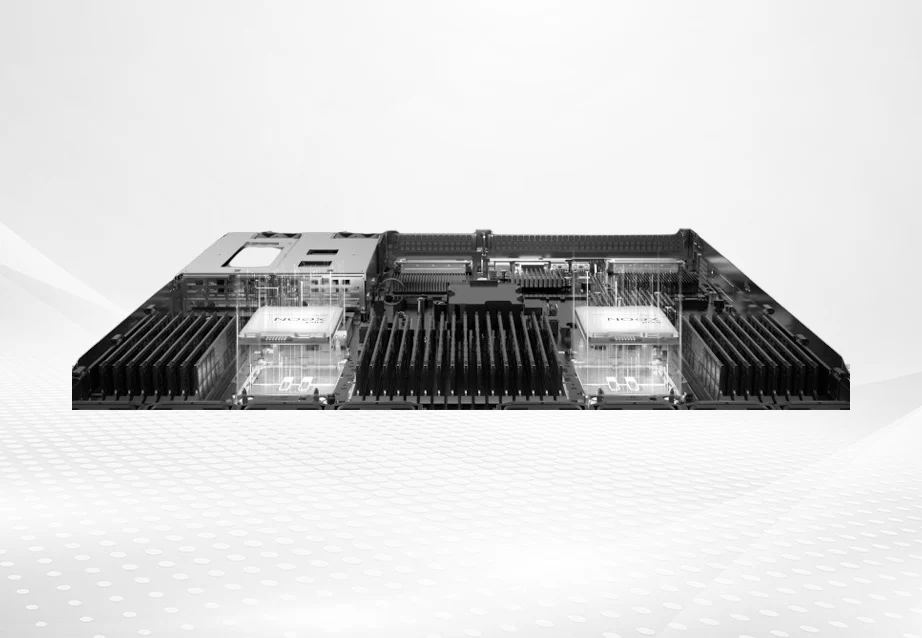
AI inference, analytics, HPC, virtualization, and dense database platforms change the rack-level equation. The HPE ProLiant DL385 Gen11 platform supports two AMD EPYC 9004 series processors. It allows up to 96 cores per processor. It supports up to 400W maximum processor power. It has up to 24 DDR5 memory modules. It includes PCIe 5.0 expansion. It offers optional 1+1 hot-plug redundant power supplies up to 2200W. It also has hot-plug redundant fans. Dense platforms like the FusionServer 1288H V7 1U rack server show why HPC and high-density virtualization can push cooling decisions beyond a basic datasheet check.
What Is Liquid Cooling and How Does It Compare to Air Cooling?
Direct-to-Chip (D2C) Liquid Cooling Explained
Direct-to-chip liquid cooling places a cold plate on CPUs, GPUs, or accelerators. A coolant loop carries heat to a coolant distribution unit or facility loop. D2C targets the hottest components. It keeps much of the existing rack format. Many deployments still use air cooling for memory, storage, power supplies, and residual heat.
Immersion Cooling: Submerging the Server Rack
Immersion cooling places IT hardware into a dielectric fluid bath. It can remove large heat loads with very low fan noise. The fluid contacts many surfaces directly. The tradeoff involves facility impact. Tanks, fluid handling, floor loading, hardware compatibility, and maintenance training all need review.
Rear-Door Heat Exchangers: Enhancing Air Cooling with Liquid
A rear-door heat exchanger is often called RDHx. It mounts a liquid-cooled coil at the rack exhaust path. Servers still use internal fans. But hot exhaust air passes through the coil before it enters the room. RDHx can raise density. It does this without changing every server internally.
When Exactly Does a High-Density Server Rack Need Liquid Cooling?
The Power Density Metric (kW) as a Deciding Factor
The most useful deciding metric is sustained server rack power density in kW. Below about 10-15 kW per rack, well-designed air cooling usually remains practical. This holds if airflow management is healthy. Around 15-20 kW, traditional air systems need validation. Small layout errors can create hot spots at this point. Above 20 kW per rack, liquid cooling should become an active design requirement.
Do not decide from nameplate power alone. Measure real power at the rack PDU. Review workload behavior. Check inlet temperature at top, middle, and bottom. Confirm whether fan speeds are already elevated. If the rack needs more airflow, louder fans, or wider spacing, then liquid assistance is usually cleaner.
Liquid Cooling vs. Air Cooling: Initial Investment and Energy ROI
Liquid cooling has a higher initial cost. It adds cold plates or coils, coolant distribution, leak detection, valves, hoses, monitoring, and maintenance procedures. Air cooling is simpler to buy and service. The comparison can reverse at higher density. At that point, liquid systems reduce fan speed, CRAC load, and rack sprawl.
Space, Noise, and Facility Constraints for Server Racks
Space and noise often turn a technical preference into a business decision. If a site is limited by rack count or edge-room footprint, liquid cooling can preserve compute density. Near offices or labs, reducing high-speed fan noise can also matter.
Can You Combine Liquid Cooling and Air Cooling in the Same Data Center?
The Benefits of a Hybrid Cooling Strategy for Server Racks
Yes. Standard switches, shelving units, back-up units, and moderate density computer equipment can still operate on air cooling. However, AI clusters, database nodes that run at a higher performance, or computer equipment that has many accelerators can be placed on liquid-cooled racks.
Optimizing the Data Center Layout for Mixed Cooling Zones
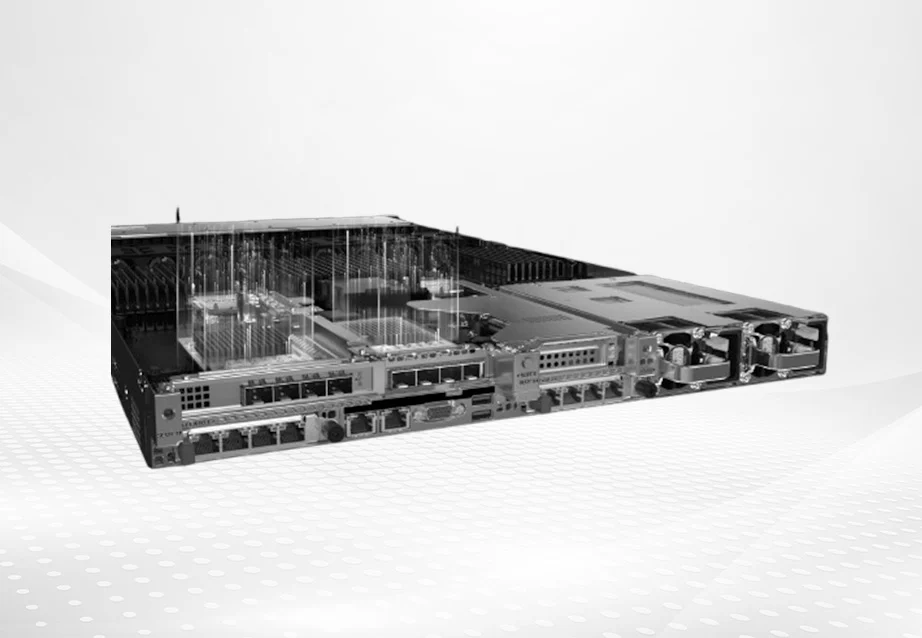
Hybrid cooling still needs physical planning. Keep hot and cold aisles disciplined. Avoid disrupting neighboring air-cooled racks. Route pipes so service teams can reach valves and sensors. The HPE ProLiant DL380 Gen10 platform fields include up to 205W CPU TDP. It has 24 DDR4 DIMM slots. It offers NVMe backplane support. It includes PCIe expansion options. It has optional 500W, 800W, or 1600W 1+1 hot-plug redundant power supplies. It also has hot-plug redundant fans. Those fields show why airflow, power, storage, and expansion must be reviewed together.
Preparing Your Infrastructure for a Liquid Cooling Transition
Assessing Current Air Cooling Capacities and Bottlenecks
Start with an asset and thermal audit. Identify racks with the highest sustained kW. Look at the highest fan speeds. Note the largest temperature rise. Check for repeated thermal warnings. Map workload type, PDU capacity, cabinet airflow, cable congestion, and room cooling capacity. Cable blockage may not require liquid cooling. Compute load that has outgrown the room probably does.
Selecting Compatible Enterprise Servers for Liquid Cooling Integration
Cooling should be part of server selection. For an IT infrastructure upgrade, teams should verify the server model. They should check processor generation, memory type, storage layout, PCIe expansion, power supply options, fan and cooling fields, BIOS level, manufacturer configuration guide, QVL/HCL, approved BOM details, and pre-installation test records. Huaying Hengtong has industry experience in requirement analysis, technical verification, equipment selection, network implementation, quality assurance, operations and maintenance, and service support. These capabilities can support cooling-aware procurement review.
For new high-performance computing purchases, many teams ask whether a 2U or 4U server architecture can support future direct liquid cooling. They check closed-loop options or rear-door heat exchange. The HPE ProLiant DL360 Gen10 Plus 1U rack server is one compact rack server example to evaluate against power, airflow, expansion, and site cooling limits. Final selection still needs exact part numbers, manufacturer evidence, and a validated BOM.
FAQ
Q: What is the maximum kW load an air cooling system can handle for a high-density server rack?
A: In many enterprise rooms, 15-20 kW per rack is the practical upper planning band for traditional air cooling. Some specialized sites can go higher. But above 20 kW, liquid cooling should be actively evaluated.
Q: How much more expensive is liquid cooling compared to air cooling when upgrading a server rack?
A: Liquid cooling usually costs more at first. It adds fluid loops, cold plates or coils, monitoring, leak detection, and service procedures. Long-term cost can improve when it avoids extra room cooling. It lowers fan energy. It fits more compute into the same footprint.
Q: Is it possible to retrofit an existing high-density server rack to use liquid cooling instead of air cooling?
A: Yes. But the retrofit path depends on server compatibility and facility readiness. Rear-door heat exchangers are often easier than direct-to-chip or immersion retrofits. They improve exhaust heat removal without redesigning every server.
Q: Does implementing liquid cooling for a high-density server rack increase the risk of hardware damage from leaks?
A: It introduces a different risk profile. But good design reduces the risk. Modern liquid systems use tested connectors, leak detection, pressure monitoring, isolation valves, and maintenance procedures. Manage the risk through engineering controls rather than ignoring rack heat density.