2026 Server Memory Trends: Navigating the DDR4 and DDR5 Landscape
Server memory trends in 2026 point to a key change for data centers. They balance old setups with new processing needs. As business programs get more involved, picking the right hardware shift plan stops work blocks. To handle this area, you need to know when to get the most from current systems. You also need to know when to put money into new rules. For a full look at the money and tech effects of this change, check our detailed report on DDR5 vs. DDR4 Server Memory: Performance, Cost, and Best Choice for 2026.
Why Upgrading Server Memory is Critical for Modern IT Workloads
Upgrading server memory components is critical for modern IT workloads because virtualization and database analytics demand continuous, high-speed throughput. An optimized RAM configuration directly dictates how many virtual machines a single node can comfortably host. Furthermore, sufficient memory bandwidth prevents the processor from stalling while waiting for data retrieval. Consequently, expanding RAM capacity remains one of the most immediate ways to extend the lifecycle of your current data center hardware.
DDR4 vs. DDR5 Server Memory Modules: Market Availability and ROI
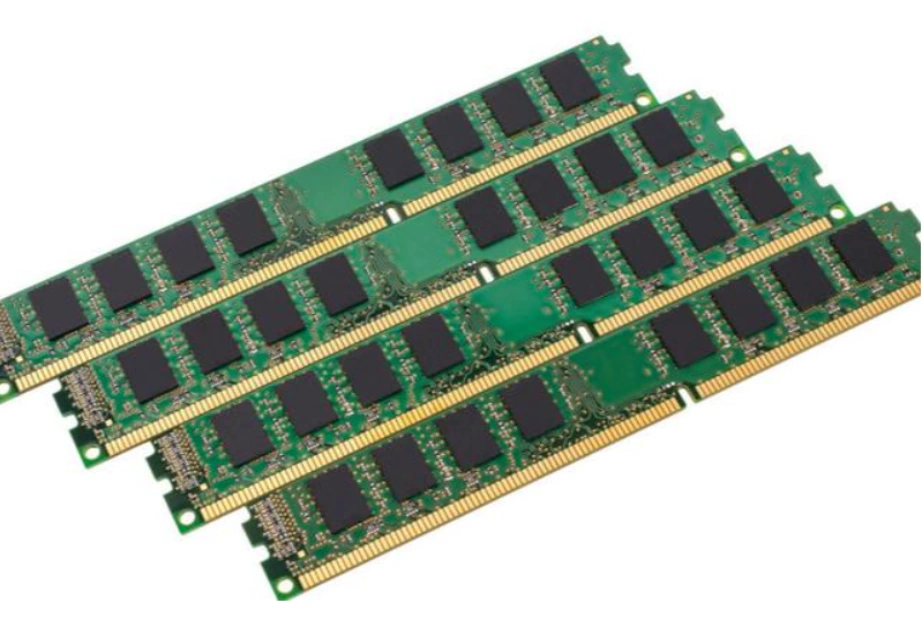
Talks about DDR4 against DDR5 server memory modules lead to buying plans. Groups check market stock and long-run money gains. DDR5 brings top speed, but DDR4 stays useful thanks to its tested steadiness and low cost in current setups. Picking the right type depends fully on your board skills and task load. Smart money use often picks filling DDR4 to the max before switching to a full DDR5 setup change.
Selecting the Correct Server Memory for Dell PowerEdge Models
Picking the right server memory for Dell PowerEdge models calls for a solid grasp of hardware fit and build limits. Putting in the wrong parts can cause system shakes, lost guarantees, or start failures. IT managers must match the part details with the clear needs of the maker. Care in hardware choice makes sure the system sees and uses the full amount of the new parts.
Server Memory Specifications for PowerEdge R650 and R550
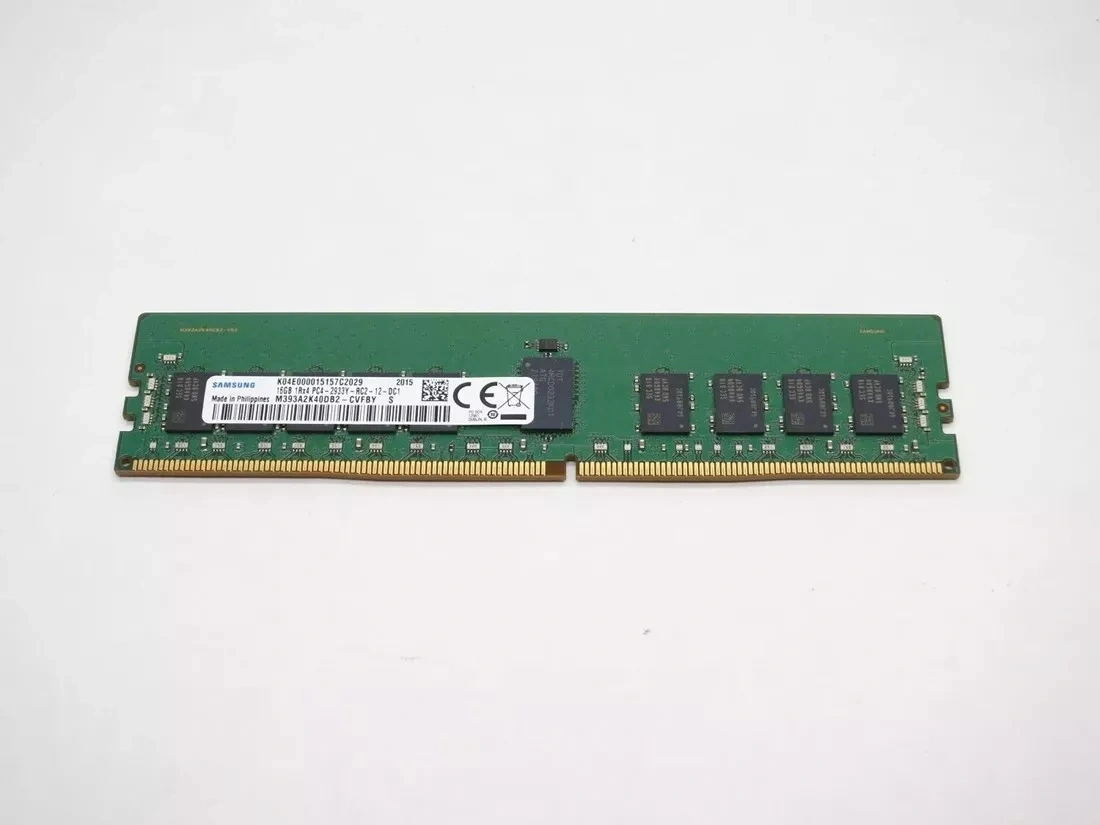
Server memory details for the Dell PowerEdge R650 and R550 show the clear tech needs for good business setups. The Dell PowerEdge R650 is a two-socket/1U rack server. It holds 32 DDR4 DIMM slots. For this model, sizes go up to an RDIMM 2 TB max or LRDIMM 8 TB max. Speeds reach up to 3200 MT/s. On the other hand, the Dell PowerEdge R550 uses 16 DDR4 DIMM slots. It holds an RDIMM 1 TB max with speeds up to 2933 MT/s. For best work in the R650, adding a strong part like the Samsung M393A4K40DB3-CWE (DDR4, 32GB, 3200 Mbps, 2Rx4) gives quick data pass speeds. This boosts the whole system’s work.
Comparing RDIMM, LRDIMM, and UDIMM Server Memory Capacities
Looking at RDIMM, LRDIMM, and UDIMM server memory sizes is key to avoiding blocks in dense rack spots. Registered DIMMs (RDIMMs) add a data pass register between the main chip and the DRAM chip. This raises the pass work and cuts the power load on the memory control. Load-Reduced DIMMs (LRDIMMs) go beyond by holding both data and control signals. This lets in big sizes like the 8TB for the R650. Unbuffered DIMMs (UDIMMs) have no such registers. So, they fit only basic tasks where big growth is not needed.
Optimizing Dell Server Memory Configuration and Architecture
Optimizing Dell server memory configuration ensures that your infrastructure operates at peak efficiency without unnecessary hardware expenditure. Correctly installing RAM is not merely about slotting modules into the board; it involves following strict population guidelines. Adhering to these manufacturer guidelines maximizes memory bandwidth and minimizes latency. A well-architected layout prevents the system from defaulting to lower operational speeds.
Best Practices for Server Memory Channel Balancing
Top ways for server memory channel balancing say to fill parts evenly over all open CPU paths. When memory spreads out fairly, the main chip can reach many banks at once. This greatly raises data gathering rates. Mixing sizes or speeds in one path makes the system run at the pace of the slowest part. Even fills the base for a quick-to-respond shared setup.
Resolving “Sub-Optimal Server Memory” System Alerts
Fixing sub-optimal server memory system warnings fast stops small setup mistakes from harming the overall network. Dell’s control tools will warn managers ahead if the RAM fill breaks the best path rules. Handling these warnings usually means shutting down the unit. Then, you rearrange the DIMMs based on the system’s clear guidebook. Skipping these hardware warnings makes sure your high-cost gear buys do not give the planned money gains.
Cost-Efficient Server Memory Sourcing with Huaying Hengtong
Smart server memory buying lets firms grow their IT skills without stretching their work money too far. At Huaying Hengtong, we see that steady supply lines form the core of current business work. We fill the space between top hardware needs and sound money plans. By giving full IT gear bulk services, we aid world clients in reaching their setup goals.
Strategic Server Memory Procurement for 2026 IT Budgets
Smart server memory buying for 2026 IT money plans needs teaming with steady sellers who know the world supply line ways. Planning ahead for future gear needs lets IT leaders lock in bulk prices. It also avoids shaky market lacks. To help with your buying plans, we put together the Best Server Memory Modules: 2026 B2B Buying Guide to ease your hardware checks. As a focused hard drive bulk seller and part provider, we make sure your data center stays ready for what comes next.
How Huaying Hengtong Delivers Reliable Server Memory Solutions
Steady server memory options from Huaying Hengtong give world clients trust in real goods and full backing. Started in 2016, we focus on selling and aiding IT goods. We stand for main brands like Dell, HP, Huawei, and Lenovo. Past basic selling, we work in server tailoring. We make fit solutions based on the main idea of putting customers first. If you need a trusted Huawei wholesaler or a team for hard hardware joins, we offer the IT gear bulk base needed for your business to grow.
FAQ
Q: Which brand is the best for server memory upgrades?
A: Determining the best brand for server memory upgrades depends heavily on your existing infrastructure. Industry leaders like Samsung, SK Hynix, and Micron manufacture the actual DRAM chips used in most enterprise environments. For specific servers like Dell PowerEdge, utilizing OEM-certified modules or equivalent enterprise-grade modules from these top-tier manufacturers ensures optimal stability. As an IT equipment wholesale provider, Huaying Hengtong supplies authentic modules that guarantee strict compatibility.
Q: How to choose the right server memory for data centers?
A: Picking the right server memory means matching the part type (RDIMM, LRDIMM), type (DDR4 or DDR5), and speed (e.g., 3200 MT/s) to your chip and board details. You also need to think about your goal size and path balancing rules to raise speed. For fit spots, using server tailoring services makes sure the picked RAM lines up perfectly with your set task needs, like AI work or heavy setup sharing.
Q: DDR4 vs DDR5 server memory: which is better for current setups?
A: DDR5 server memory provides significantly higher bandwidth and lower power consumption, making it ideal for future-proofing new high-performance computing deployments. However, DDR4 remains the most practical and cost-effective choice for upgrading existing servers that do not support the DDR5 standard. Organizations must evaluate their motherboard compatibility and total budget before deciding, often finding that maxing out DDR4 capacity offers the best immediate return on investment.
Q: What are the top companies for wholesale server memory procurement?
A: Top firms for bulk server memory buying offer a mix of wide stock, strict quality checks, and strong after-sales support. Buyers should seek sellers who keep firm ties with big hardware brands. They should also offer full join services. Huaying Hengtong stands out here. It works as a trusted IT gear bulk seller, hard drive wholesaler, and Huawei wholesaler with a solid record since 2016.
Q: How can I ensure compatibility when buying server memory modules?
A: Ensuring compatibility when buying server memory modules involves cross-referencing the exact technical specifications of your server model with the memory’s part number. Key factors to verify include the memory generation, clock speed, rank configuration, and whether the system requires registered or load-reduced DIMMs. Consulting with an experienced IT equipment wholesale partner can eliminate guesswork, as they provide expert server customization advice and verified hardware matches.