


Enterprise firewall selection is a network-architecture decision, not a search for one maximum number. The right Juniper SRX firewall should match site scale, traffic direction, security services, session behavior, VPN demand, interface growth, and the security team’s operating model.
Why Are Juniper SRX Firewall Models Important for Modern Enterprise Networks?
How Juniper SRX Firewall Supports Distributed Enterprise Security
Juniper SRX firewall models can be used at branch offices, campus edges, data center boundaries, and secure WAN gateways. That range matters because distributed enterprises need consistent policy enforcement without forcing every location into the same hardware profile. A compact branch platform can protect a local office and connect it to central services, while a larger modular platform can inspect heavier north-south and east-west traffic.
Branch connectivity is about secure reachability between users, applications, cloud services, and headquarters. Campus security adds segmentation, internet-edge protection, and policy control for many user and device groups. Data center protection requires traffic capacity, service density, redundancy, and expansion room. Secure WAN planning adds VPN, routing, remote access, and SD-WAN requirements.
What Businesses Should Evaluate Before Choosing an SRX Firewall
Start with four measurements: network scale, throughput requirement, session capacity, and future expansion. Network scale includes sites, zones, users, applications, and security domains. Measure throughput under the security services that will actually run, rather than by a stateful-firewall headline. Session capacity matters when many users, short-lived connections, remote devices, or published applications share one gateway.
Future expansion is equally important. Count available interfaces, estimate WAN and internet growth, check high-availability requirements, and reserve capacity for new security services. Huaying Hengtong works across network devices and related hardware and software equipment, with experience in requirement analysis, technical verification, equipment selection, network implementation, quality assurance, operations and maintenance, and service support. That makes a documented requirement baseline useful before the model is selected.
How Do Different Juniper SRX Firewall Models Compare?
SRX Branch Models for Distributed Office Networks
The SRX300 series is the natural comparison group for small and medium branch networks. SRX320, SRX340, and SRX345 can be evaluated when a site needs secure connectivity, local policy enforcement, and more interface or performance headroom than a minimal branch gateway. SRX380 belongs in the discussion when branch traffic, uplink needs, or consolidation requirements are higher.
The choice depends on WAN type, internet breakout, remote users, local applications, and policy count. An SD-WAN site may need consistent tunnels, routing integration, centralized policy, and predictable failover rather than the highest firewall throughput. Review the enterprise network-device product catalog while building candidates, then validate the selected SRX configuration against the deployment design.
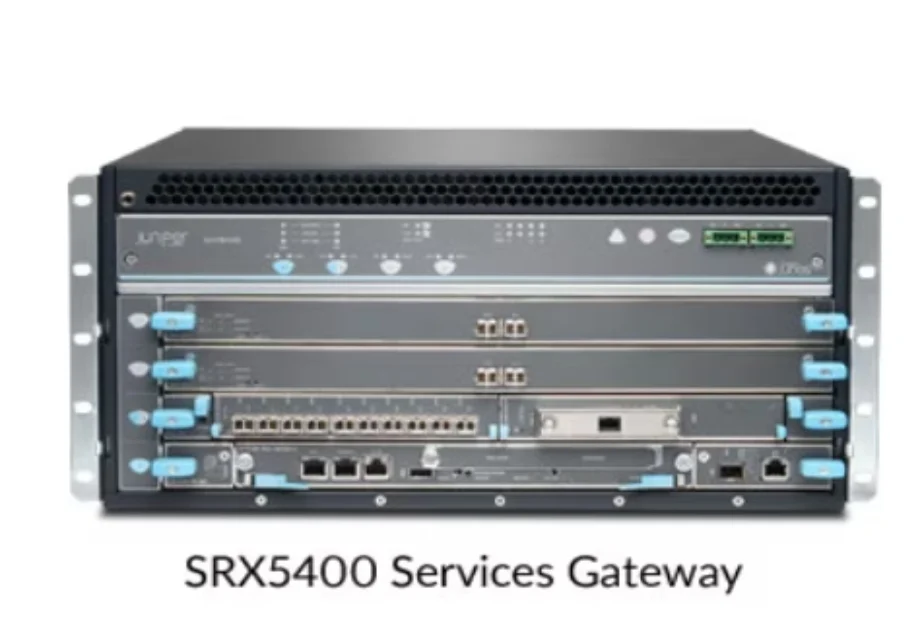
SRX5400 vs SRX5600 vs SRX5800 for Enterprise and Data Center Networks
The SRX5400 is positioned for enterprise campuses, edge security, and data center deployments. It fits organizations needing high performance in a smaller footprint for core or edge security. The cited maximum firewall throughput is approximately 960Gbps.
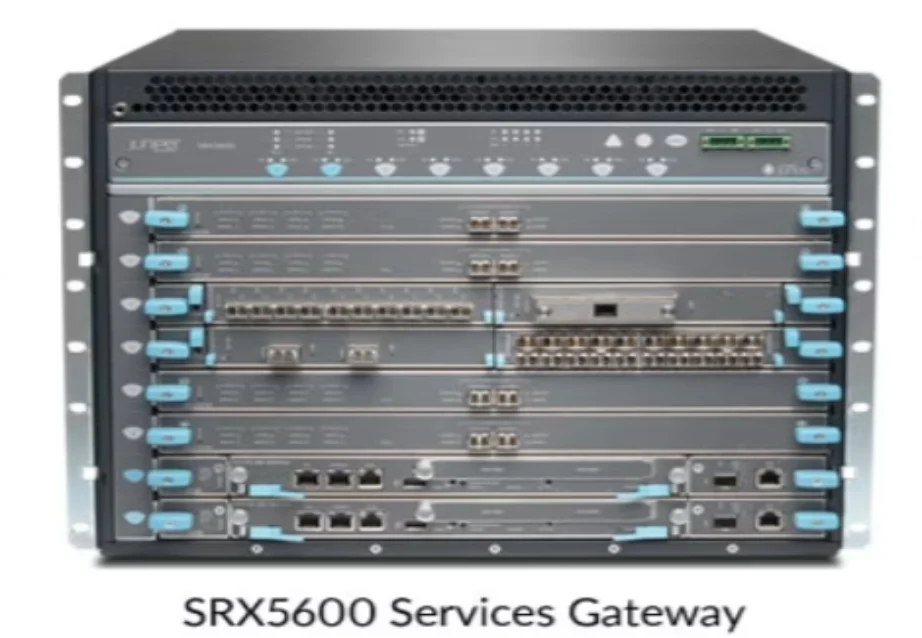
The SRX5600 targets large enterprise data centers and security service consolidation. It is relevant when several security functions or zones must be consolidated and the architecture needs modular growth. The cited maximum firewall throughput is approximately 1.44Tbps.
The SRX5800 is aimed at high-scale data centers, service providers, and cloud infrastructure. It is the stronger candidate when traffic volume, service density, interface scale, and expansion dominate. The cited maximum firewall throughput is approximately 3.36Tbps. These figures are comparison points, not a promise that every configured service reaches the same rate. Review the SRX5400, SRX5600, and SRX5800 firewall range for model-level context.
Which Juniper SRX Firewall Model Fits Different Network Environments?
Choosing SRX Firewall for Global Branch Office Deployment
For a global branch rollout, calculate locations and group them by WAN connection, user count, application mix, and policy complexity. A few large offices may need a different model from hundreds of small sites. Remote users affect VPN concurrency, authentication, address planning, and support procedures.
SD-WAN changes the evaluation because the firewall must fit the overlay, underlay, routing, and centralized-management architecture. Check local internet access, backup WAN, dual links, segmentation, and regional policy differences. A repeatable sizing template is more valuable than one model for every location.
Selecting SRX Firewall for Data Centers and Core Networks
Data-center selection begins with traffic volume and application density. Measure north-south inspection, east-west segmentation, published services, VPN traffic, and peak session creation. Then map those requirements to high availability, maintenance windows, interface options, modularity, and scalability.
Evaluate the core platform against the migration path. Confirm rack, power, optics, routing, logging, management, and failover behavior before replacing the gateway. Huaying Hengtong can support requirement organization, technical verification, equipment selection, and delivered-system verification; final approval still depends on configuration evidence and testing.
What Factors Matter When Comparing Juniper SRX Firewall Models?
Performance, Sessions, and Security Service Requirements
Compare firewall throughput, IPS performance, VPN capacity, and concurrent sessions together. IPS, application identification, advanced inspection, or many IPsec tunnels can change practical sizing. Also check new sessions per second, latency, remote-access users, and encrypted traffic.
Use the workload profile to set a sustained target and a burst target. Leave operating headroom for policy growth, software updates, failover, and abnormal traffic. A model with lower headline throughput may be more appropriate if it meets the real security-service profile and has a better operational fit.
Hardware Expansion and Long-Term Compatibility Considerations
Modular architecture matters when interfaces, processing capacity, or security services may grow over time. Compare interface options, transceiver requirements, slot availability, power and cooling, redundant components, and management compatibility. Hardware compatibility is not just a connector question; it includes software release, optics, routing features, monitoring, logging, and support processes.
Deployment lifecycle should cover procurement, staging, migration, rollback, firmware maintenance, spares, and replacement. Document the selected configuration and test results so later upgrades do not rely on first-installation assumptions.
How Can Enterprises Plan Juniper SRX Firewall Upgrades in 2026?
Matching SRX Firewall Selection With Future Network Growth
Avoid oversizing by separating current demand from speculative growth and by measuring actual security-service utilization. Avoid undercapacity by reserving headroom for sites, applications, sessions, VPN users, and planned inspection features. A three-year growth model should include WAN bandwidth, internet traffic, cloud connections, remote work, segmentation, and compliance controls.
Use staged expansion when the architecture allows it. A branch rollout can standardize a small set of models, while a data center can use a modular platform with defined capacity milestones. The goal is predictable growth, not the largest chassis on day one.
Why Hardware Compatibility Matters During Enterprise Security Upgrades
Review existing infrastructure before choosing the replacement. Check rack space, power, cooling, optics, cabling, routing, HA topology, monitoring, logging, authentication, and maintenance tools. Then map the target SRX model to the architecture and migration sequence.
For a controlled upgrade, record the current policy set, interface map, VPN inventory, session baseline, and rollback method. Our technical verification and equipment-selection work can structure the review, while manufacturer documentation, exact part numbers, approved compatibility records, and migration testing remain the basis for approval. See the technical service and information solutions page for support context.
FAQ
Q: What is a Juniper SRX Firewall used for?
A: A Juniper SRX firewall secures networks. It also links branch, campus, data center, cloud, and WAN environments. It achieves this through policy enforcement. It handles routing as well. It supports VPN, traffic inspection, and security-service controls.
Q: How do I compare Juniper SRX Firewall models?
A: Compare the network scale first. Then examine real security-service throughput. Check IPS and VPN next. Review concurrent sessions and interface needs too. High availability matters. So do management, lifecycle, and expansion capacity. Do not use one headline throughput number as the only criterion.
Q: What is the difference between SRX5400, SRX5600, and SRX5800?
A: SRX5400 is positioned for enterprise campus, edge, and data center deployments. SRX5600 fits large enterprise data centers and security service consolidation. SRX5800 supports high-scale data centers, service providers, and cloud infrastructure. Their cited maximum firewall-throughput figures are approximately 960Gbps, 1.44Tbps, and 3.36Tbps.
Q: Which Juniper SRX Firewall is suitable for enterprise networks?
A: The suitable model depends on traffic. It also depends on services, sessions, interfaces, redundancy, and growth. SRX300 models fit many branch cases. SRX5400, SRX5600, or SRX5800 may fit campus, core, data center, or cloud-scale designs.
Q: How do I choose the right Juniper SRX Firewall for a branch network?
A: Start with location count. Review WAN links next. Then assess user and VPN concurrency. Policy complexity is important too. Consider SD-WAN design, local breakout, failover, and expected growth. After that, validate the chosen model and software. Do this against the complete network design.