Is the Initial Price Tag Deceiving? Unpacking TCO for Dell Enterprise Servers in 2026
In the fast-changing world of 2026, AI-based tasks and large data handling stand as common practices. Buying a server now goes beyond a basic single buy. Many IT leaders focus only on the base price of a strong unit. However, this narrow view of buy cost marks a planning mistake. It can cause surprise expenses later in the device’s life.
To truly understand the value of your infrastructure, you must dive into the Total Cost of Ownership (TCO) for Dell enterprise servers. TCO encompasses every cent spent from the moment of procurement to the day the equipment is decommissioned. In 2026, factors like energy volatility, specialized software licensing, and the need for rapid scalability have made a comprehensive cost analysis more critical than ever before.
What Are the True Drivers of Enterprise Server Costs?
To get TCO, break down where funds really flow. It helps to group these costs into two key areas: Capital Expenditures (CapEx) and Operational Expenditures (OpEx).
Capital Expenditures (CapEx): Beyond the Hardware Procurement
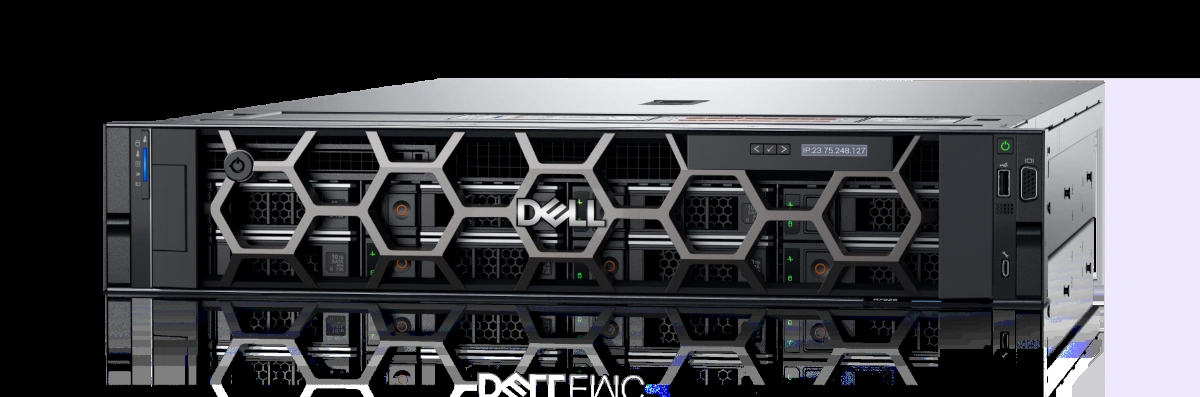
CapEx shows up as the clear budget part. Yet it often masks added costs. Past the main body of a server like the Dell PowerEdge R760, companies must plan for setup needs in their space. This covers fast network cards, special RAID controls, and first software fees for managers or systems. Also, the price of rack spots and support setups for these units matters. For example, better Power Distribution Units (PDUs) add to the start-up spend.
Operational Expenditures (OpEx): The Hidden Drain on IT Budgets
CapEx hits once. But OpEx acts as a steady pull that soon tops the buy price in three years. Power use leads here. As chips gain strength, their heat power (TDP) rises. This brings higher bill costs. Past power, OpEx adds staff time for regular checks, safety fixes, and update tasks. In 2026, stop-time costs form a big OpEx factor too. Just hours of server loss can mean revenue drops far beyond the hardware price.
Do PowerEdge Air-Cooled Systems Lower Total Cost of Ownership for Enterprises?
As data centers become denser, the debate between air cooling and liquid cooling has intensified. However, for many mainstream enterprise applications, the answer to “Do PowerEdge air-cooled systems lower total cost of ownership for enterprises?” remains a resounding yes, provided the environment is optimized.
The Mechanics of Advanced Thermal Management
Modern Dell engineering has pushed the limits of air cooling. Using intelligent fan arrays and multi-vector cooling designs, systems like the 16th-generation Dell PowerEdge series can precisely direct airflow to the hottest components. By utilizing high-efficiency heat sinks and automated thermal sensors, these systems reduce the “parasitic power” draw of the fans themselves, ensuring that more electricity goes toward computation rather than cooling.
Air Cooling vs. Liquid Cooling: A Cost-Benefit Analysis for 2026
While liquid cooling offers superior thermal conductivity for extreme AI clusters, it carries a heavy TCO penalty for standard enterprise use. The infrastructure requirements—pumps, coolants, and specialized plumbing—significantly inflate CapEx. In contrast, air-cooled systems allow companies to utilize existing data center layouts. For the majority of business workloads in 2026, the reliability and lower maintenance complexity of air cooling result in a much more favorable TCO for Dell enterprise servers.
How Does Component-Level Selection Impact Overall TCO?
Inside server parts shape long-run money flow a lot. Right picks stop blocks and stretch device life.
The Hidden Economics of Enterprise Memory (DDR4/DDR5) Upgrades
Memory is often where performance meets price efficiency. By opting for high-performance modules like the Samsung 32GB DDR5 RDIMM (M321R4GA0BB0-CQK), enterprises can leverage advanced RDIMM technology that includes registers for enhancing clock and control signals. This specific module operates at 4800 Mbps and supports error correction by adding an 8-bit parity signal, which is crucial for maintaining system stability and preventing data corruption. Utilizing modules like the Samsung M321R4GA0BB0-CQK allows for higher density and scalability, meaning you can run more virtual machines on fewer physical servers, while the 1.1V low-voltage design helps reduce long-term energy consumption and heat output.
Storage Tiering Strategies: Balancing HDD Capacity and SSD Speed
A mixed store plan aids cost watch. SSDs give quick work. But big hard drives rule the cost per space for old data. Drives like the Seagate Exos X24 (ST24000NM002H) hold vast local data. They skip the high cost of full-fast setups. At Huaying Hengtong, we guide clients on mixed plans. These give the needed IOPS for live tasks. They use big HDDs to keep total TCO in check.
How Can Expert Lifecycle Management Dramatically Reduce Server TCO?
Hardware works best with strong back support. Cutting TCO means more than smart buys. It calls for smooth runs over 5 to 7 years.
The Financial Impact of Proactive Maintenance and Minimized Downtime
Reactive repairs are expensive. When a server fails, the cost includes emergency shipping for parts, specialized labor, and the aforementioned loss of business continuity. Proactive management—monitoring system health and replacing components before they reach their failure threshold—is the most effective way to flatten the OpEx curve. A well-maintained server has a higher residual value and a lower probability of catastrophic failure.
Leveraging Huaying Hengtong’s Expertise for Optimized Server Deployment
As a focused team in IT setup, we at Huaying Hengtong offer more than gear. With ten-plus years in the field, we bring full IT aid. These spans need checks, tech proofs, setup, and steady care. We know clients seek not just parts. They want low risk and high return. By acting as one contact for Dell servers and top parts like Samsung and Seagate, we ease the buying steps. We give skilled post-sales support to hold your TCO low.
Strategic Capacity Planning: Scaling Your Dell Infrastructure Cost-Effectively
Future planning wraps the TCO picture. Too much setup makes idle servers that use power with no gain. Too little brings rush, high buys. Smart growth plans check current trends. They pick add-on units that fit your rise. With Dell’s growth build, firms delay CapEx. Their setup stays matched to goals through 2026 and later.
Frequently Asked Questions (FAQ)
Q: Why is the TCO for Dell enterprise servers often much higher than the initial purchase price?
A: The buy price just covers the hardware. The TCO for Dell enterprise servers adds steady costs like power and cooling, software fees, staff time, and stop risks. In five years, these run costs often pass the start CapEx.
Q: How can a business accurately calculate the TCO for Dell enterprise servers?
A: True math sums buy costs for hardware and software. It adds setup fees for installation and networks. Then, list all yearly run costs like power, care, and aid deals. Also, pull out the planned end-of-sale or scrap value of the hardware.
Q: Does high energy consumption significantly impact the TCO for Dell enterprise servers?
A: Yes, power use ranks as a top OpEx change. With 2026 price shifts, good power units and heat care systems matter. Lower power pull cuts bills. It also eases center cool loads. This brings two-way savings on full costs.
Q: What is the most effective way to reduce the TCO for Dell enterprise servers without sacrificing performance?
A: The best path optimizes part picks and life care. Strong parts like the M321R4GA0BB0-CQK DDR5 memory give better performance and steady work. Plus, teaming with a skilled firm like Huaying Hengtong for ahead-of-care stops reduces high unplanned stops.
Q: Are there specific software tools to help manage and monitor TCO for Dell enterprise servers?
A: Groups often use tools like Dell OpenManage for real-time power and health watch. With the help of a service team, these facts spot weak units. They fine-tune energy over the full set.