
Lenovo vs Seagate Exos: What Does “Compatibility” Really Mean in Server Storage Upgrades?
Why “Lenovo vs Seagate” is a common enterprise search intent in 2026
In 2026, IT administrators regularly search for Lenovo vs. Seagate when they plan infrastructure expansions. This query shows an increasing need. They need to balance OEM ecosystems with affordable high-capacity storage options. Data demands keep growing quickly. Enterprises want to know one key thing. They want to know if they can safely add third-party enterprise HDDs into their current branded server environments. They can do this without losing system stability.
Server storage compatibility vs brand comparison (what users actually misunderstand)
When people discuss Seagate vs. Lenovo, many users think it means direct brand competition. In reality, it concerns server storage compatibility. Lenovo designs and builds strong servers and workstations. Seagate focuses on making the actual hard drives that fit inside them. The real issue involves making sure the storage controller and firmware of the host system will smoothly recognize and handle the third-party drive.
How enterprise HDDs like Seagate Exos integrate into Lenovo server environments
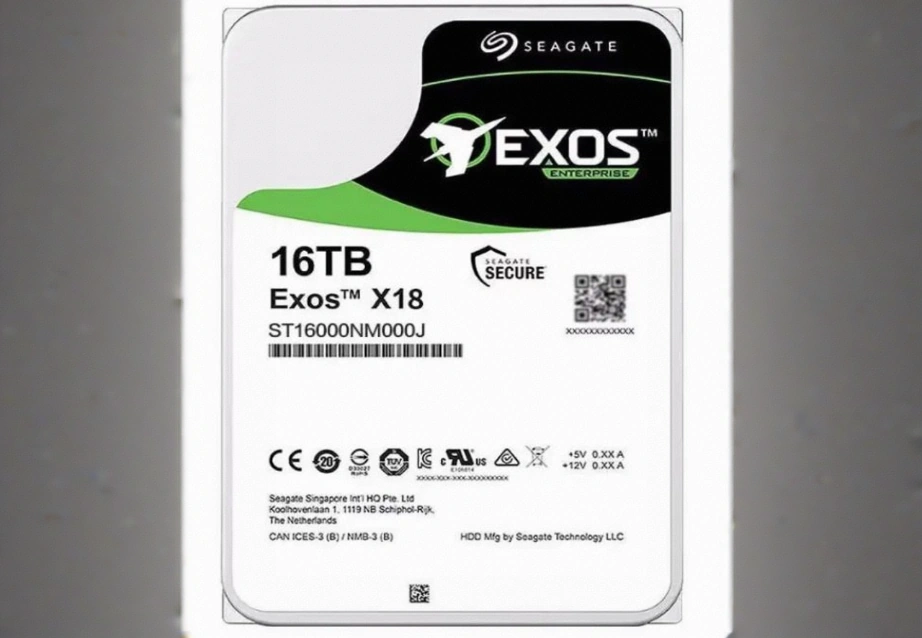
At Huaying Hengtong, we understand these integration challenges very well. We are mainly engaged in the sales and service of IT products. Based on the core concept of customer-centricity and customer-first, we create customized solutions for customers. When you build a large storage pool, you must match physical interfaces. You must also ensure RAID controller validation. These steps help achieve good enterprise HDD integration.
Can Seagate Exos Drives Work in Lenovo Servers? Key Compatibility Factors Explained
SATA vs SAS interface compatibility in Lenovo server storage systems
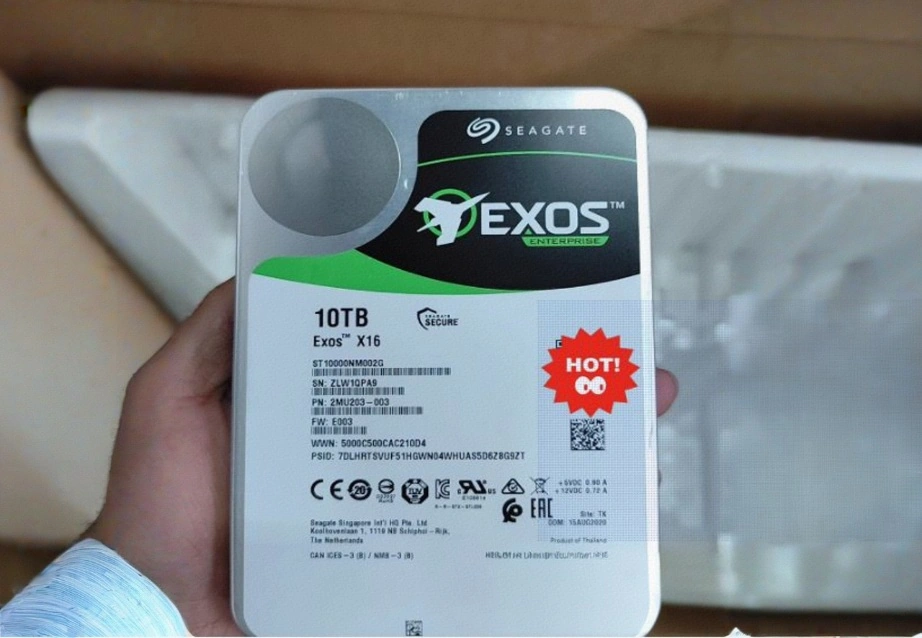
Interface matching is the first rule of server storage upgrades. For example, the Seagate ST16000NM004J offers a large storage capacity of 16TB. It uses the SAS 12Gbps interface. If your system backplane only supports SATA, this drive will not connect. On the other hand, the Seagate ST10000NM002G has a capacity of 10TB. It features a SATA III interface type. This makes it widely compatible with standard SATA-based enterprise deployments.
Firmware, RAID controllers, and enterprise drive recognition basics
Even with the correct physical interface, the host RAID controller must have suitable firmware. The firmware allows clear communication with the drive. Some strict OEM environments may show warning lights for non-branded drives. The drives can still work well. Updating your firmware to accept standard enterprise HDDs is very important for a smooth upgrade.
Physical and logical limitations that affect drive acceptance
Beyond firmware, physical chassis limitations determine your choices. For instance, the Lenovo ThinkStation PX supports up to 12TB 3.5″ SATA 7200rpm drives. Trying to install a 16TB drive in a slot limited to 12TB by the system will cause problems. These problems include unrecognized capacity or logical errors.
Choosing Between Lenovo-Optimized Storage and Seagate Exos Drives
When enterprise-grade HDDs are preferred over vendor-branded storage options
Vendor-branded drives provide guaranteed plug-and-play ease and single-point support. Yet buying bare enterprise HDDs like the Seagate Exos directly can lower the total cost of ownership for large data center projects. This approach helps IT budgets cover more ground. It does so without reducing raw hardware quality.
Performance consistency in 24/7 workloads and data center environments
Both branded and bare enterprise drives are built for demanding data center use. High-end drives apply advanced technologies to keep performance steady. The Seagate ST16000NM004J uses advanced helium sealing technology. This technology increases storage density and lowers power consumption.
Storage density and scalability considerations for modern server upgrades
Rack space is now more valuable than before. For this reason, maximizing storage density per slot is necessary. High-capacity drives let businesses grow their data storage without buying extra server nodes. This approach simplifies rack management and reduces cooling costs.
Common Server Storage Upgrade Scenarios Using Lenovo and Seagate Exos
Expanding storage in virtualization and cloud hosting environments
Virtualization needs reliable storage pools to support many virtual machines. Administrators often perform server storage upgrades by filling empty drive bays with high-capacity enterprise drives. This ensures hypervisors have steady access to local data.
Backup, archiving, and cold storage optimization strategies
For cold storage and archiving, capacity matters more than very high speeds. Using high-capacity spinning disks is the most cost-effective approach here. This method allows companies to keep large amounts of historical data at a low cost. The data stays available for compliance or recovery needs.
Hybrid configurations combining SSD and enterprise HDD layers
Modern servers often use a tiered storage method. A system might use M.2 NVMe SSDs for the operating system and active data. At the same time, it uses large spinning disks for bulk storage. The Lenovo ThinkStation PX supports up to 4TB M.2 NVMe PCIe SSDs alongside standard SATA drives. This setup clearly shows the hybrid approach.
Risks and Mistakes to Avoid in Lenovo vs Seagate Exos Upgrades
Mixing incompatible drive classes in RAID arrays
One serious mistake during server storage upgrades is mixing different drive models, speeds, or interface types in the same RAID array. This mixing can create major performance problems. It may also cause unstable array behavior and serious data loss during rebuilds.
Ignoring firmware validation and vendor compatibility lists
Before you buy many drives, you should check the host system’s hardware compatibility list. Failing to do this can lead to costly hardware that the system will not accept. Always confirm that your RAID controller supports the exact drive model.
Overlooking workload type vs drive endurance requirements
Putting a drive with a low annual workload rating into a busy database environment will lead to early failure. Enterprise drives receive clear ratings for specific workloads. Matching the drive endurance to your application’s read and write demands is essential.
How to Plan a Future-Proof Server Storage Upgrade in 2026
Evaluating workload-driven storage planning instead of brand-first decisions
At Huaying Hengtong, we recommend checking your real computing needs first. Because we are determined to build our company into an excellent IT service provider in China, we guide our clients to focus on IOPS throughput and capacity requirements. This is better than focusing only on brand names.
Balancing capacity, reliability, and expansion flexibility
A good upgrade balances current capacity needs with future growth. You should leave space in your chassis for later expansion. You should also choose drives with a proven mean time between failures. This helps make sure your investment lasts through the full server lifecycle.
Best practices for long-term server storage lifecycle management
You should use active monitoring. Keep a good supply of identical spare drives. Follow clear hardware rotation schedules. Proper lifecycle management helps your infrastructure handle drive changes smoothly. This prevents downtime when a drive eventually wears out.
Q: Is Lenovo vs. Seagate a direct comparison for server storage upgrades?
A: Not exactly. It is rarely a direct comparison because one is a host system provider and the other manufactures the storage media. The real focus should be on how well the storage media integrates into the host hardware and firmware ecosystem.
Q: How do I resolve server storage compatibility issues when adding third-party drives?
A: The most effective method is to ensure that the physical interface matches your backplane. You must also verify that the drive capacity does not exceed the system’s maximum supported limit. Finally, you should keep your RAID controller firmware fully up to date.
Q: In the Seagate vs. Lenovo storage debate, which offers better value for high-density environments?
A: Purchasing bare enterprise HDDs often provides a lower cost per terabyte. This lower cost is very useful for dense storage scaling. However, OEM-branded storage offers simpler warranty support and guaranteed validation right away.
Q: Can enterprise HDDs from other brands be mixed in the same RAID array?
A: It is strongly advised against. Mixing different drive models, rotational speeds, or cache sizes within a single RAID array can cause unpredictable performance. It can also lead to slow rebuild times and possible array failure.
Q: What are the main risks of ignoring server storage compatibility lists in 2026?
A: Ignoring these lists can result in the host controller failing to recognize the drives. It may cause inaccurate capacity reporting. The system might also trigger false hardware errors and increase cooling fan speed due to unrecognized thermal sensors.