


Server memory upgrades are usually triggered by business symptoms before anyone reads a DIMM label. A host starts swapping during reporting windows, virtual machines wait for cache, database buffers shrink, or a platform has open slots but not enough capacity per channel. This guide is for infrastructure buyers and administrators deciding whether a 64GB DDR4 RDIMM is the right next step for an existing server fleet.
Why 64GB Server RAM Matters in 2026
Capacity Pressure From Virtualization and Databases
Virtualization density keeps rising because organizations want more services from the same rack footprint. Each additional virtual machine needs working memory, file cache, monitoring overhead, and emergency headroom. Databases and analytics platforms also behave better when hot data stays in memory rather than spilling to disk. A server can have adequate CPU while still losing performance because memory is fragmented across too many smaller modules.
When a 32GB DIMM Becomes the Constraint
The upgrade point is not only 100 percent memory utilization. Watch sustained paging, ballooning, cache eviction, long query times, or application owners asking for larger heaps. A move from 32GB modules to 64GB modules can increase total capacity while preserving slot count for future expansion.
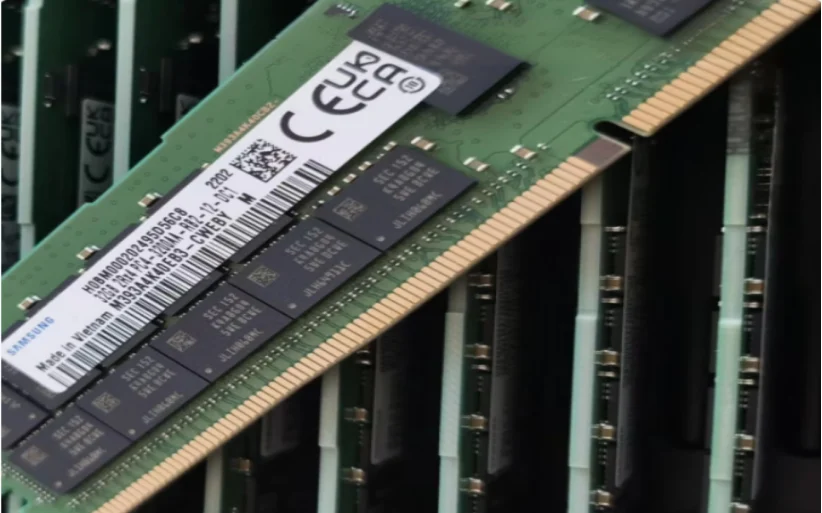
What M393A8G40CB4-CWE Adds to a DDR4 Platform
Read the Electrical and Capacity Signals
Huaying Hengtong lists M393A8G40CB4-CWE as a 64GB DDR4 server memory module for enterprise server use. The M393A8G40CB4-CWE 64GB DDR4 RDIMM page identifies DDR4, server application, 64GB capacity, 3200 Mbps speed, and 2Rx4 organization. It also describes RDIMM architecture, where registers support clock, command, and control signals for server operation.
Check Population Rules Before Buying
Capacity alone does not prove compatibility. Server generation, CPU memory controller, BIOS, channel layout, existing DIMM type, rank, organization, and supported speed all matter. A related M393A8G40BB4-CWE 64GB DDR4 comparison module can help compare nearby 64GB DDR4 2Rx4 options, but the approved configuration must still match the platform documentation.
Upgrade Triggers That Justify 64GB RDIMM Capacity
Consolidation and VM Density
An upgrade makes sense when consolidation plans are blocked by memory rather than CPU. If hosts have stable processor utilization but poor VM placement, 64GB RDIMMs can let administrators consolidate lightly loaded services, reserve failover capacity, and reduce the number of underused servers.
Database, Cache, and Analytics Growth
Database servers often need memory for buffer pools, temporary operations, and concurrent users. Analytics jobs need working space for joins and batches. Cache layers need enough RAM to keep active data close to the application. We use that evidence to separate a useful 64GB upgrade from a risky memory mix.
Compatibility Checks Before the Upgrade
Match Server Generation and BIOS Support
Start with the exact server model, processor generation, installed BIOS, and memory population guide. DDR4 and DDR5 assumptions cannot be mixed. RDIMM and LRDIMM should not be treated as interchangeable. Check whether the server supports 3200 Mbps operation with the planned population and whether speed will downshift with all channels filled.
Validate Existing Channels and Mixed DIMMs
Document every installed DIMM before ordering. Record capacity, speed, rank, organization, vendor part, slot position, and channel pairing. The Samsung memory module category is useful for browsing Samsung server memory families, but a final bill of materials should show the exact part number, quantity, and placement.
The safest upgrade design also separates replacement from expansion. If an existing server already runs a mixed memory population, first decide whether the target state will standardize all channels or add capacity only to open slots. Standardization is cleaner for troubleshooting because every channel can be compared against the same module type. Expansion can be more economical, but it needs stricter attention to channel balance and supported mixed-capacity rules.
Testing should include more than a successful boot. Run memory diagnostics, confirm ECC reporting, check operating speed in firmware and the operating system, then observe the workload that originally triggered the upgrade. If the old symptom was database cache pressure, compare buffer hit ratio and storage latency. If the old symptom was VM density, compare placement, ballooning, and failover reserve.
Buying and Deployment Checklist
Evidence to Collect Before Ordering
Collect the server serial number, current memory map, workload symptoms, target capacity, operating system, hypervisor version, and maintenance window. Confirm whether the goal is more VM density, a larger database cache, a new application, or replacement of failed modules. That evidence prevents buying a correct DIMM for the wrong platform.
How Huaying Hengtong Supports the Decision
Huaying Hengtong works across servers, memory, storage, network products, and service support, so the practical recommendation can include the DIMM, the server generation, and the surrounding configuration. The most reliable upgrade path is a documented match between workload demand and platform limits, followed by staged installation and post-upgrade monitoring.
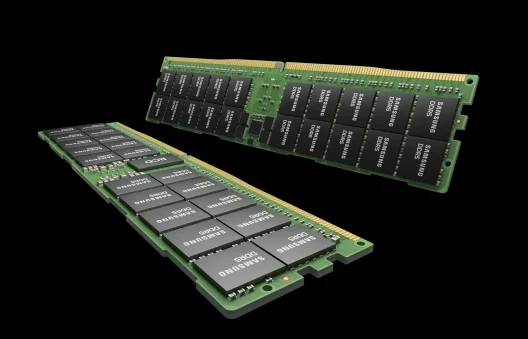
That wider view matters when a RAM upgrade is part of a larger refresh. A server that needs more memory may also need storage latency review, firmware cleanup, or a network card upgrade. Keeping the evidence together helps purchasing, operations, and application owners agree on the real reason for the change before hardware arrives.
FAQ
Q: When is M393A8G40CB4-CWE a good server RAM upgrade?
A: M393A8G40CB4-CWE is a good candidate when a compatible DDR4 server needs higher capacity per slot, shows memory pressure, and supports 64GB 2Rx4 RDIMM modules at the required population.
Q: Can M393A8G40CB4-CWE replace any DDR4 server DIMM?
A: No. The server model, CPU generation, BIOS, RDIMM support, rank, organization, speed, and channel population rules must match before it can replace another DDR4 module.
Q: Does M393A8G40CB4-CWE improve application speed by itself?
A: It improves performance when memory capacity is the bottleneck. If CPU, storage, network, or software design is the limit, more RAM may not solve the main issue.
Q: Should M393A8G40CB4-CWE be mixed with smaller DIMMs?
A: Mixing may be allowed on some platforms, but it can reduce speed or create uneven channels. Follow the server population guide and document every existing module first.
Q: How should teams test M393A8G40CB4-CWE after installation?
A: Verify BIOS recognition, channel balance, operating speed, ECC status, operating system visibility, stress-test stability, and workload metrics before closing the maintenance window.