In the rapidly evolving digital landscape of 2026, organizations face a paradoxical challenge. The demand for raw computational power is skyrocketing due to heavy artificial intelligence integration, yet IT budgets are under tighter scrutiny than ever before. For procurement officers and CTOs, the conversation has decisively shifted from negotiating the lowest initial purchase price to conducting a comprehensive analysis of the TCO for Dell enterprise servers.
What Drives the TCO for Dell Enterprise Servers in 2026?
Understanding the economic friction within a modern data center begins with a reality check on operational overhead. By 2026, the traditional split where capital expenditures dominated the budget has shifted heavily toward operational expenses. This shift is primarily driven by rising global energy prices and the specialized, expensive labor required to maintain complex, hybrid IT environments.
Identifying the Hidden Operational Costs in Modern Data Centers
The total cost of ownership is often compared to an iceberg. While the hardware acquisition cost is highly visible above the waterline, the submerged costs—such as expensive software licensing, unplanned system downtime, and intensive administrative labor—can easily sink an IT budget. We frequently encounter organizations that over-provision their hardware just to be safe, which leads to idle resources that continually consume power and occupy expensive rack space without delivering proportional value. The key to optimizing the TCO for Dell enterprise servers lies in forensic workload analysis, ensuring that every watt of power consumed translates directly into measurable business value.
The Growing Financial Impact of Power Consumption and Cooling
Green practices and energy savings matter more than just for image now. They stand as key money items. Power use makes up a large part of daily spending. To fight this, new setups need smart heat plans. With better cooling options, groups can cut power bills a lot for high-density setups. This lowers the lasting operational expenses of a strong data center over time.
How Can Strategic Workload Consolidation Cut Your IT Costs?
Bringing tasks together remains the best tool for quick money help. Groups can move old tasks from many old, wasteful units to one strong machine. This cuts power, cooling, and space needs all at once. As a result, it boosts the return on investment in a big way.
Leveraging High-Density Architectures for Space Efficiency
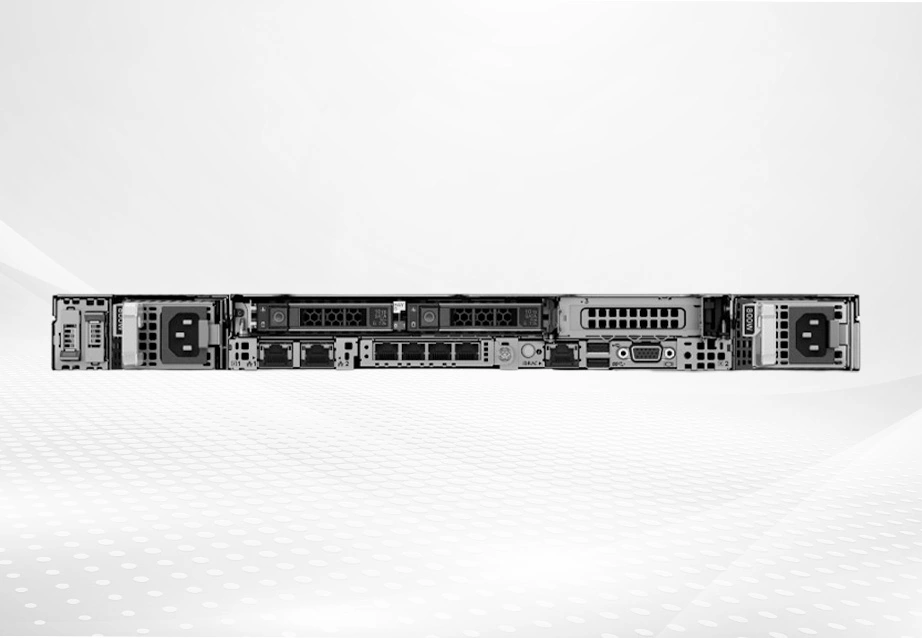
Modern hardware allows for unprecedented density. For example, the Dell PowerEdge R650, an enterprise-class dual-socket 1U rack server, perfectly illustrates how 1U of rack space can now handle extreme workloads that previously required much larger footprints. Equipped with 3rd Generation Intel Xeon Scalable processors and supporting PCIe Gen 4 along with up to 12 NVMe drives, this server enables data center managers to maximize density without compromise. Replacing inefficient “server sprawl” with compact, high-performance nodes like the Dell PowerEdge R650 reduces the physical footprint, thereby cutting facility-related IT costs.
Optimizing Software Licensing Through Right-Sized Hardware
One frequently overlooked aspect of the TCO for Dell enterprise servers is the per-core licensing model utilized by major enterprise software vendors. Running a low-utilization workload on a massive, high-core-count processor is an expensive mistake. By accurately sizing the hardware and selecting the right processor configuration for the specific task, organizations can avoid overpaying for software licenses. Matching computational density to the exact licensing tier provides a learner with a much more efficient financial profile for the entire application stack.
Which Intelligent Management Strategies Lower Daily Expenses?
The people side of IT, with hours spent on hand updates, checks, and fixes, drives up running costs mainly. Smart auto-tools offer the only real way to grow your setup without adding staff in a straight, hard-to-sustain line.
Automating Routine IT Maintenance to Save Time and Resources
Current server tools have grown steady enough for a no-touch setup as a real option. With smart auto features that include data flow and easy APIs, IT groups can set up smooth, no-touch plans for configs and updates. When daily fixes run on auto, less handwork means a smaller TCO for Dell enterprise servers. The time gained from a big group of servers lets staff work on money-making ideas instead of simple care.
Enhancing Cyber Resilience to Prevent Costly Downtime
Unplanned downtime is the ultimate budget killer. In 2026, robust cyber-resilience is an absolute economic necessity. Securing workloads on platforms anchored by cryptographically trusted booting and a silicon root of trust prevents unauthorized firmware changes and protects critical assets. Adopting a security-first procurement strategy is vital, as the financial devastation of a single data breach far outweighs any superficial initial savings gained by choosing non-enterprise-grade hardware.
How Do You Extend the Lifecycle of Your IT Infrastructure?
Stretching server life from the usual three years to five or seven boosts your long-run total cost of ownership a lot. But you must handle this stretch with care to skip surprise jumps in fix and break costs.
Planning for Scalability with Future-Ready Server Configurations
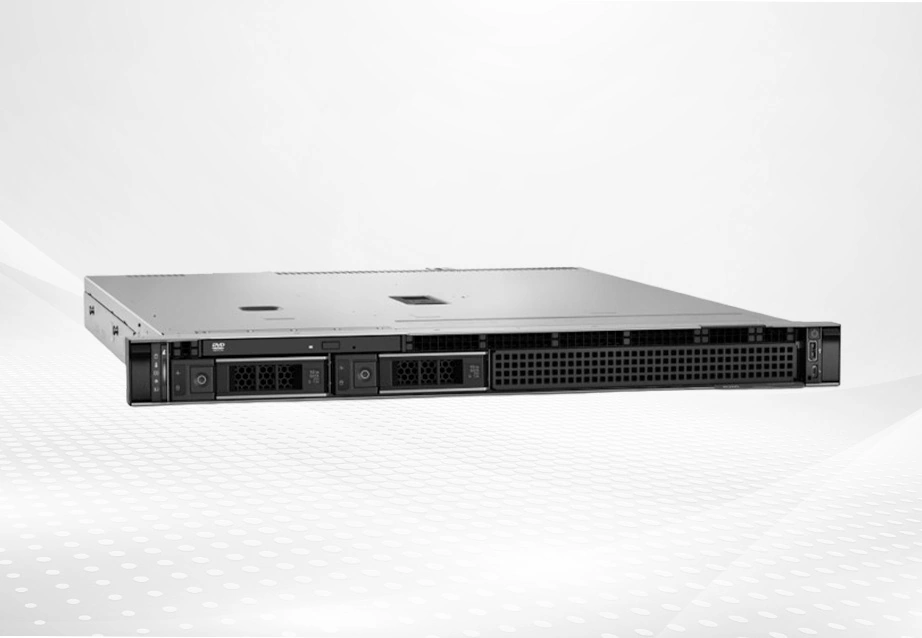
To ready your data center for later, take a build-as-you-go view. For regular business tasks and basic needs, the Dell PowerEdge R250 works well. This 1U rack server runs on Intel Xeon E-2300 processors. It gives strong computing power. Plus, it has better heat control to meet rising power needs. With a simple path to add more, groups skip early full changes. This spreads the start money over a longer time.
Balancing Strategic Equipment Upgrades with Long-Term Value
Sometimes, the most cost-effective way to lower your TCO for Dell enterprise servers is to upgrade a specific component rather than replacing the entire server. For instance, swapping out aging, low-capacity storage for high-performance enterprise drives can completely revitalize a system. Integrating a component like the Seagate ST16000NM004J—a 16TB enterprise-class hard drive featuring a SAS 12Gbps interface, 7200 RPM speed, and a 256MB cache —ensures excellent read/write performance. With a mean time between failures (MTBF) of 2 million hours, targeted hardware updates like this can defer a massive server refresh and secure your data integrity.
Why Partnering with Huaying Hengtong Maximizes Your Server Investment?
Handling business hardware details needs more than looking at a list. It calls for a smart partner who knows business IT and world setups well.
Designing Customized IT Solutions Around Your Core Business Needs
At Huaying Hengtong, we base our work on putting customers first. We build tailored plans for clients. We do not just ship items. We check your exact needs to pick the best setup that keeps the lowest TCO for Dell enterprise servers. We carry top brands and a full range of goods, including servers, switches, and storage. This makes sure your setup has the right tech checks and picks to hold your key tasks.
Ensuring High Availability Through Comprehensive After-Sales Support
Our promise to your business goes way past the first delivery. After over ten years of effort, Huaying Hengtong has gained solid management know-how and full after-sales care. With a team of more than 100 sales and service staff, we give steady, quick, and flexible help. We make sure of steady uptime and strong run care. So, picking Huaying Hengtong means choosing a top IT helper set on helping your business grow.
FAQ
Q: How can I accurately calculate the 5-year total cost of ownership for my new data center infrastructure?
A: To figure the total cost of ownership right, go past the first buy bill. Add in steady power use, cooling needs, software fees per core, and worker costs for IT care. With the good savings of new business hardware, you see that running costs drop a lot over 60 months.
Q: What is the most effective way to reduce overall server expenses in a hybrid cloud environment?
A: The best way is to use smart auto-tools and size hardware just right. Advanced auto management cuts manual work for daily care a lot. Also, picking flexible setups lets you change storage and memory as hybrid cloud needs change. This skips the high costs of adding too much.
Q: Does cooling efficiency really impact the total cost of ownership over time?
A: Yes. Cooling in data centers can take a big share of energy bills. Using hardware with good heat savings and smart air flow cuts the power needed for steady temps. These steady savings help reach a smaller total cost of ownership.
Q: How does choosing NVMe storage affect the long-term hardware expenses?
A: NVMe drives cost more at first. But their high speed in ops per second and low wait times let one system handle much tougher tasks than old drives. This keeps top chips busy with data, not waiting. It boosts value from software fees and cuts overall IT costs.
Q: Can server consolidation actually lower the long-term operational budget?
A: Yes. Bringing servers together drives IT budget cuts strongly. Swap many old, wasteful units for one tight, strong one. This right away lowers the count of items to power, cool, and fee. The simple way shrinks rack space and eases handling. Thus, it leads to well-tuned server expenses.