


At first glance, Dell vs Seagate enterprise drives looks like a brand comparison. In reality, Dell often qualifies drives made by specialist manufacturers, including Seagate, then applies a platform-specific validation, firmware, monitoring, and support framework. The practical question is therefore not whether one logo makes the media inherently better. It is whether the PowerEdge OEM premium buys the protections your environment genuinely needs.
The strongest decision starts with the server, controller, workload, and support model. A drive can fit the bay and still be wrong because its sector format, firmware, carrier, or health reporting does not align with the platform. Judge the premium as the price of a controlled compatibility chain.
What Are You Actually Buying in a Dell vs Seagate Decision?
The OEM label and the drive manufacturer are different layers
In a Dell vs Seagate hard drive comparison, the physical drive may come from Seagate or another approved manufacturer, while the Dell layer covers qualification for selected PowerEdge configurations. A generic model and a Dell-qualified version may share hardware characteristics yet differ in firmware, part identification, supported configurations, or service ownership.
This reframes Dell OEM enterprise drives as validated platform components. By contrast, Seagate enterprise drives purchased through another channel place more responsibility on the buyer to confirm compatibility and manage support. Neither path is automatically right for every deployment.
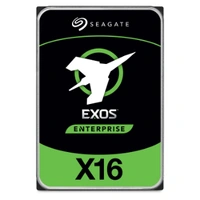
What Dell validation adds beyond the label
The OEM case is strongest when the drive must work as part of a complete storage subsystem. Qualification can cover controller interaction, firmware updates, error handling, predictive alerts, and lifecycle tools. That is why Dell-certified hard drives may command more than drives with similar headline specifications.
The premium does not guarantee that a non-Dell drive will fail. It reduces uncertainty around how the drive is recognized, monitored, updated, and supported. In a critical server, that reduction can be more valuable than a small difference in raw throughput.
Which Specifications Matter Before Comparing the OEM Premium?
Check the bay, interface, sector format, and controller together
Start PowerEdge drive compatibility checks with the exact server generation, backplane, bay size, carrier, and PERC model. Then confirm SAS or SATA, supported capacity, 512e or 4Kn sector format, and current controller firmware. A matching connector alone is not evidence of full compatibility.
For replacements in an existing RAID group, the new drive must meet interface and usable-capacity requirements without introducing sector-format or firmware issues. Treat PERC RAID drive compatibility as a system-level check, not a drive-only specification.
Match the media type to the workload pattern
Capacity, latency, and write pattern should determine the media tier. A 10K small-form-factor HDD can suit latency-sensitive legacy arrays, while a large 7.2K drive fits capacity-oriented storage. For a performance-tier example, the 1.8TB 10K ST1800MM0129 enterprise HDD gives buyers a concrete model to evaluate against their controller, carrier, and sector-format requirements.
Compare only drives that satisfy the same bay, protocol, endurance, and workload constraints. Otherwise, the apparent saving comes from changing the requirement.
Where Does the PowerEdge OEM Premium Earn Its Place?
Firmware, PERC behavior, and management visibility
The Dell OEM drive premium is easiest to justify when iDRAC, OpenManage, and PERC health reporting are operational requirements. A qualified drive is more likely to participate in the expected update and alerting path, including predictive-failure information and supported firmware packages. A generic drive may operate normally yet still generate a non-certified warning or expose less management data.
Across a fleet, consistent identifiers, firmware baselines, and alerts simplify maintenance. A lab may tolerate manual checks; a production cluster may not.
Warranty ownership and one accountable support path
OEM and retail warranties can follow different owners. An OEM-marked drive may be serviced through the system vendor rather than the original drive manufacturer, while a retail enterprise drive may carry manufacturer coverage. Before paying the premium, verify who replaces the part, for how long, and whether the drive is included under the server’s current support entitlement.
This makes OEM drive warranty coverage a technical decision. A premium without matching entitlement may deliver less protection than expected, while one accountable support path can simplify documented escalation.
When Can Seagate Enterprise Drives Be a Sensible Alternative?
Lower-risk environments with validated configurations
Direct enterprise drives can make sense when the team controls spares, has tested the exact server and controller combination, and can tolerate non-certified warnings. Model, firmware, sector size, and carrier still need confirmation.
Media choice can also change the comparison. For read-intensive services that need predictable flash latency rather than spinning-disk capacity, a 3.84TB 2.5-inch SATA option such as SSDSC2KB038TZ01 enterprise SSD should be assessed as a separate workload tier, not treated as a substitute solely because its capacity appears similar.
Warning signs that make a generic drive a poor gamble
Be cautious with non-Dell drives in PowerEdge when the controller support matrix is unclear, the array mixes sector formats, firmware cannot be traced, or the seller cannot explain warranty ownership. Missing carriers, unknown prior use, inconsistent labels, and absent health records should also stop the purchase until verified.
Initial detection is not enough. Rebuild behavior, alert quality, firmware maintenance, and future replacement matching also matter. If these conditions cannot be tested, the OEM premium is a more defensible default.
How Should Buyers Make a Defensible Choice?
Use a compatibility-first procurement checklist
Record the PowerEdge model, backplane, bay, PERC model and firmware, current drive part number, interface, sector format, capacity, workload, and support entitlement. Ask for the exact model and firmware, then decide whether Dell qualification is mandatory, preferred, or unnecessary.
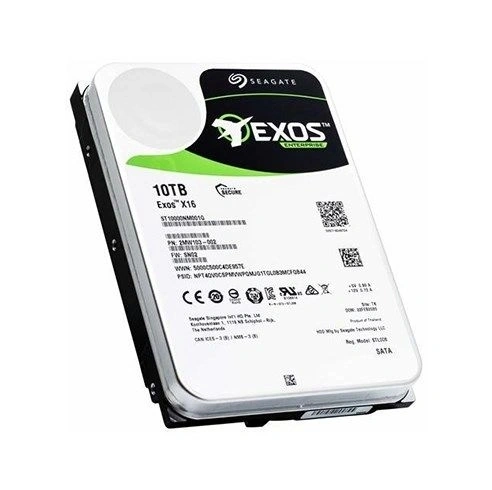
For capacity-focused arrays, a large SAS HDD may be the relevant comparison. Buyers considering the 10TB 7.2K ST10000NM002G enterprise drive should still validate the exact server, controller, carrier, and sector format before ordering. This disciplined sequence makes enterprise server hard drive selection repeatable instead of speculative.
How we support sourcing and after-sales decisions
Good procurement connects technical requirements to a traceable supply and service path. At Huaying Hengtong, we provide original IT products and support demand analysis, technical verification, equipment selection, quality assurance, operation and maintenance, and after-sales service. We do not design or manufacture drives; we help customers match manufacturer products to infrastructure requirements.
Our role helps buyers coordinate model identification, compatibility questions, supply, and follow-up support. Pay for the OEM layer when its validation and accountability solve a real operational requirement.
FAQ
Q: In a Dell vs Seagate comparison, do PowerEdge servers require Dell-certified drives?
A: Not every PowerEdge configuration blocks non-Dell drives, but behavior varies by generation, backplane, controller, and firmware. Check the support matrix and PERC documentation before assuming full monitoring or support.
Q: In a Dell vs Seagate comparison, are the drives physically different?
A: The underlying hardware may be closely related because Dell sources drives from specialist manufacturers. Key differences can be qualification, firmware, management integration, and warranty ownership.
Q: Does Dell vs Seagate affect PERC RAID warnings?
A: It can. A drive without Dell-qualified firmware may work but appear as non-certified. That can affect warnings, firmware updates, or telemetry even when basic operations succeed.
Q: Which is safer for RAID rebuilds in a Dell vs Seagate decision?
A: Choose a drive verified for the exact controller, firmware, sector format, capacity, and array policy. Dell qualification reduces uncertainty; a direct Seagate option can be reasonable after controlled testing.
Q: How should buyers judge the premium in a Dell vs Seagate decision?
A: Compare validation, management visibility, firmware support, warranty ownership, and replacement response with the environment’s risk tolerance. Critical supported systems may justify the premium; tested lower-risk systems may not