1. Why is Linux the Preferred OS for AI Training Clusters in 2026?
1.1 Optimized Kernel Scheduling for Generative AI Workloads
Generative AI workloads in 2026 need an operating system that can manage large flows of parallel data. This must happen without slowing down hardware. The Linux kernel gives the low-delay scheduling needed to keep high-performance GPUs working at full capacity during tough computing jobs. Business-level Linux versions provide built-in, reliable driver support for the newest PCIe 5.0 connections. As a result, data moves smoothly between processors and accelerators.
1.2 Open-Source Scalability in Large-Scale Distributed Computing
Managing hundreds of AI training nodes requires an open-source ecosystem that proprietary systems simply cannot match. Linux environments naturally support advanced containerization tools like Kubernetes and Podman, which are essential for scaling distributed computing environments. At Huaying Hengtong, we have accumulated rich industry experience in demand analysis and network implementation. We leverage this expertise to ensure that the enterprise hardware we provide integrates flawlessly into your Linux clusters, delivering customized IT solutions that maintain exceptional uptime.
2. Typical AI Training Server Configuration in 2026
2.1 Core Components Breakdown: CPU, GPU, RAM, and Network
A state-of-the-art AI training node in 2026 requires a meticulously balanced configuration to avoid data starvation. A standard high-performance setup includes dual 4th or 5th Gen Intel Xeon or AMD EPYC processors to handle data preprocessing, paired with up to eight high-end GPU accelerators. Memory depth is equally critical; utilizing modules like the Samsung M321R8GA0PB0-CWM 64GB DDR5 running at 5600 Mbps ensures rapid data delivery to the GPUs. For the network backbone, dual-port 400Gb/s NDR InfiniBand smart network interface cards are strictly required to handle internode communication.
2.2 How Many GPUs Are Needed for Enterprise AI Training?
The number of GPUs your business needs depends a lot on the model’s size during training. Adjusting a ready 7B to 13B parameter model works well on one server with 4 to 8 GPUs. But building a 70B+ parameter large language model from the start needs a spread-out cluster with tens or hundreds of GPUs. We assist clients by removing uncertainty with careful tech checks and gear picks. This ensures you get the exact computing strength required without extra spending.
3. Which Enterprise Servers Offer the Best AI Training Performance?
3.1 HPE ProLiant Gen11: The Resilience Leader for AI Clusters
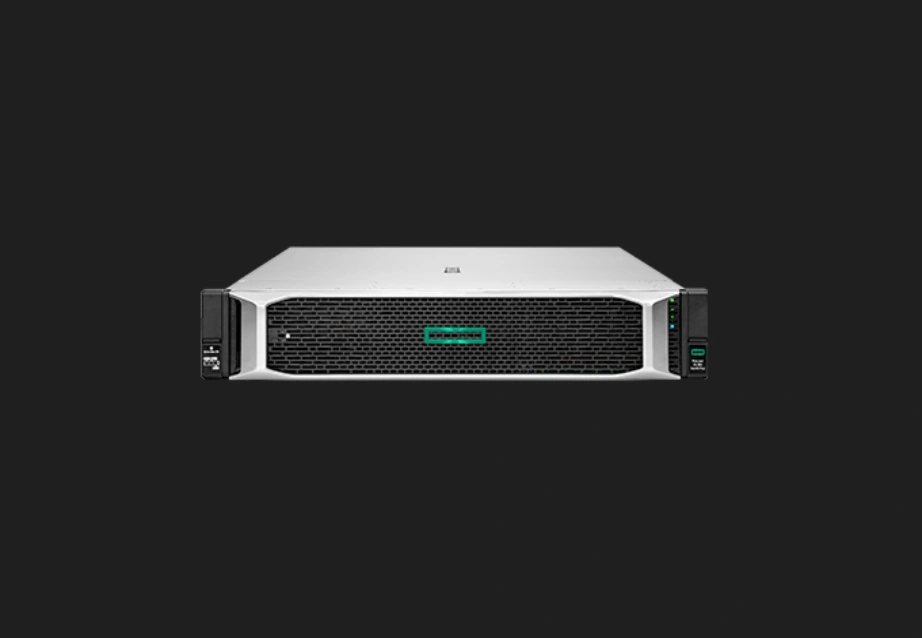
For workloads focused on accelerators, the HPE ProLiant DL385 Gen11 shines as a main 2U2P packed computing base. It runs on AMD EPYC 9004 series processors. This server handles up to 96 real cores and can hold up to 8 single-width or 4 double-width GPU cards. It also uses Silicon Root of Trust tech to guard server firmware against bad software. This keeps your key AI models safe. As a supplier of IT goods to customers worldwide, we offer true standard items from big names like HPE with full quality checks.
3.2 FusionServer V7: Redefining Compute Density for Massive Datasets
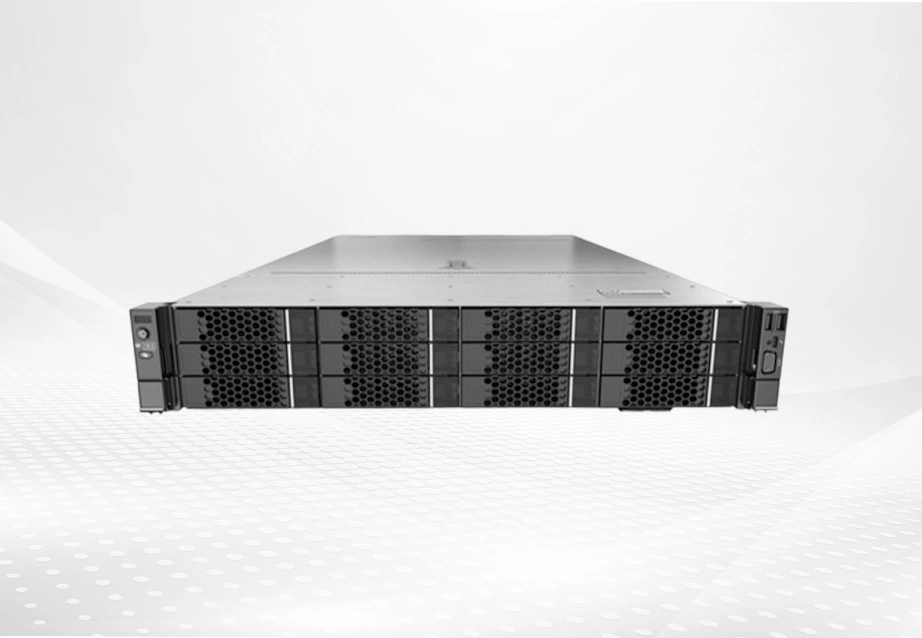
Handling huge AI datasets means that compute packing and system stability must work together. The FusionServer 2288H V7 is a fresh 2U 2-socket rack server that meets these points exactly. It supports 32 DDR5 DIMMs and includes special AI memory fault auto-fix tech. This cuts system stop time by up to 66%. By providing a full product range with broad reach, we make sure clients can get strong hardware like the FusionServer line to run their AI output and training tasks.
4. How Do Next-Gen Hardware Components Accelerate AI Training Speed?
4.1 The Impact of 5600MT/s DDR5 on AI Training Latency
AI pipelines that use lots of data need better memory speeds than old ones. Adding 5600MT/s DDR5 memory parts cuts the delay seen before when moving big datasets from local storage to GPU memory. High-speed memory makes sure advanced GPUs do not sit idle waiting for data.
4.2 Eliminating I/O Bottlenecks with PCIe 5.0 and NDR InfiniBand
Inside and outside bandwidth form the core of an AI cluster. Servers with PCIe 5.0 rules offer twice the bandwidth for fast links compared to the last version. On the outside, the NVIDIA Quantum-2 QM9700 NDR 400Gb/s InfiniBand smart switch gives 64 400Gb/s ports. It also provides a total flow of 51.2Tb/s. This block-free design lets multi-node Linux clusters run with very low delay under a microsecond. In effect, they act as one big supercomputer.
5. Quick Comparison: Best Linux AI Servers in 2026
5.1 Compute Density and GPU Interconnect Capacity
When looking at leading hardware, the HPE ProLiant DL385 Gen11 does well in basic multi-GPU growth in a 2U frame. This makes it great for focused deep learning units. On the other hand, the FusionServer 1288H V7 fits two 385W CPUs and 32 DDR5 DIMMs into a very small 1U area. It sets a new standard for packed computing in places where rack space is tight. We use our large stock to guide you through these design differences and pick the base that fits your space and computing needs.
5.2 Thermal Efficiency and Hardware Reliability Features
Ongoing AI training tests heat boundaries. The FusionServer 2288H V7 uses a heat pipe for heat removal technology. This gives 50% better heat removal than a single heat sink. Both the HPE and FusionServer bases include hardware security like TPM 2.0 and safe start rules. These keep your Linux setup secure and hard to break.
6. Cost Considerations for AI Server Deployment in 2026
6.1 Power Consumption Impact and Cooling Infrastructure Cost
Setting up high-TDP processors and several GPUs raises data center power use a lot. To cut these costs, smart setups are needed. The FusionServer line uses special methods for changing load on the fly. This keeps fan and CPU power use low and saves up to 8% in energy over the usual level. Moving to direct liquid cooling or very good air-cooled frames will cost more at first for setup. But lower overall power use effectiveness (PUE) brings solid savings over time.
6.2 GPU Scaling Cost and Memory Expansion Cost
Growing a Linux AI cluster side by side (adding nodes) or up (maxing GPUs and RAM per node) needs good money planning. Adding memory with business-grade modules or extra GPU accelerators means big price tags. It also requires strong PCIe 5.0 setups to avoid wasted buys.
6.3 Long-term TCO Comparison
Total Cost of Ownership (TCO) in 2026 goes well past the first server buy. It covers energy use, heat control, software fees, and hardware care over several years. With over 100 channel sales and after-sales staff, we at Huaying Hengtong offer full run, care, and service help. Our wide after-sales promise makes sure your AI setup runs steadily. This cuts hidden stop costs and boosts your hardware return on investment.
7. FAQ
Q: What server configuration is best for AI training?
A: The best setup for 2026 uses two high-core processors (like the 5th Gen Intel Xeon or AMD EPYC 9004 series). It includes up to eight accelerator GPUs, lots of DDR5 memory at 5600MT/s, and PCIe 5.0 links. All connect through a 400Gb/s InfiniBand network.
Q: How many GPUs are needed for LLM training?
A: Fine-tuning smaller models requires 4 to 8 GPUs per server. However, training large language models from scratch demands a distributed Linux cluster utilizing dozens to hundreds of interconnected GPUs to process the massive parameter counts within a viable timeframe.
Q: Is liquid cooling necessary for AI servers?
A: As thermal design power (TDP) of new AI processors and GPUs keeps rising, regular air cooling hits its max. For packed GPU clusters, switching to liquid cooling is key to keep top work without heat slowdown.
Q: How much RAM does an AI training server need?
A: A business AI training server usually needs 1TB to 4TB of fast DDR5 RAM. Yet bases like the HPE ProLiant DL385 Gen11 can reach 6TB. Plenty of RAM is vital to hold big datasets and model weights in memory. This stops I/O holdups.
Q: Why partner with Huaying Hengtong for AI infrastructure?
A: Started in 2016, we have a strong pro team that builds custom full-end solutions from tech checks to network setup. We supply brand-approved true hardware from world leaders to power your business’s digital change reliably.