Hybrid Cloud Security Context and SRX Deployment Rationale
The Role of Network Firewalls in Modern Hybrid Cloud Architectures
Juniper SRX Firewall plays a central role in modern hybrid cloud architectures by securing traffic flows between on-premises data centers, private cloud platforms, and public cloud environments. As enterprises adopt hybrid models to balance cost, performance, and compliance, the firewall becomes the key control point that enforces security policies across heterogeneous environments. A well-planned Juniper SRX Firewall implementation ensures that security policies remain consistent even as workloads move between physical infrastructure and cloud platforms.
Security Gaps That Drive SRX Adoption in Multi-Cloud Environments
Businesses often pick Juniper SRX Firewall to fill security gaps and close holes in multi-cloud setups. Old edge-only firewalls do not handle tricky inside traffic or changing cloud links. SRX units offer strong physical gates and virtual firewall options. Thus, companies can tackle division, checks, and entry controls in hybrid areas. They do this without rebuilding their security setup.
Why Hybrid Cloud Deployments in 2026 Demand Updated Implementation Planning
Juniper SRX Firewall implementation planning in 2026 must reflect increased traffic volumes, longer hardware lifecycles, and stricter regulatory requirements. Hybrid cloud strategies are no longer transitional; many enterprises expect long-term coexistence between legacy systems and cloud-native workloads. This makes a structured implementation checklist essential, ensuring that firewall selection, licensing, and deployment decisions remain aligned with long-term infrastructure strategies.
Pre-Deployment Considerations Before Rolling Out SRX in Hybrid Environments
Choosing Between Physical Gateways and Virtual Firewalls
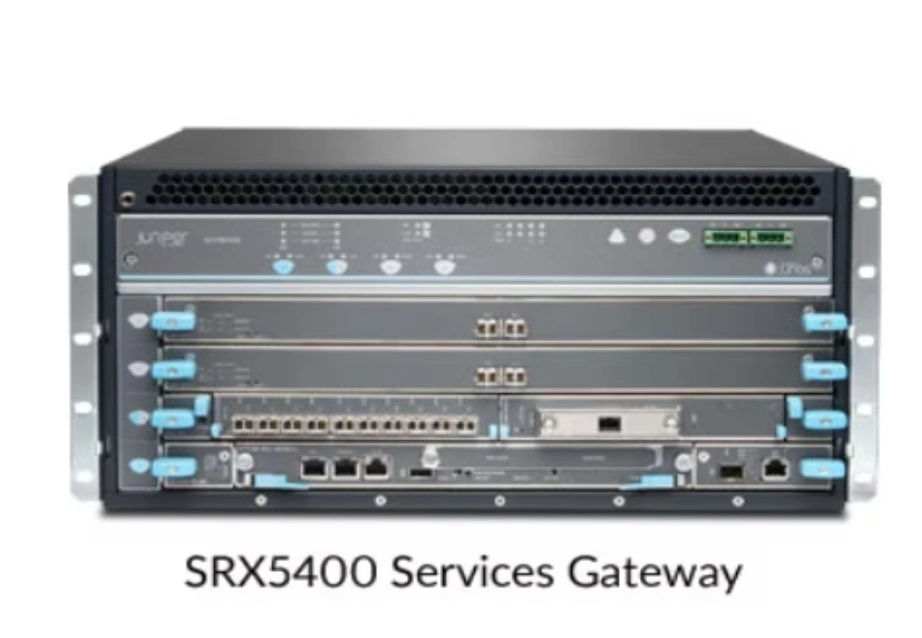
Juniper SRX Firewall deployment begins with deciding where physical gateways and virtual firewalls should be used. Physical platforms are typically deployed at data center edges or aggregation points that require high throughput and interface density. In large enterprise and carrier-grade environments, models such as Juniper SRX5400, Juniper SRX5600, and Брандмауэр Juniper SRX5800 are commonly selected to support hybrid cloud connectivity at scale. Virtual SRX deployments complement these gateways by securing workloads in private or public cloud environments.
Licensing, Feature Scope, and Subscription Alignment
Matching Juniper SRX Firewall licenses is a main task before rollout. It affects budget control and project schedules. Security tools, check features, and control options must fit actual daily needs. In hybrid cloud work, wrong or partial licenses can slow setups or cut firewall usage. Good early planning makes SRX units ready to work fully right away.
Network Topology, Traffic Direction, and Trust Boundary Validation
Juniper SRX Firewall rollout needs a good look at the network layout and data paths. Hybrid cloud areas create several trust lines between local systems, cloud tasks, and outside services. Checking routes, area splits, and link spots before setup avoids rule clashes. It also cuts the chances of speed problems after launch.
Core Deployment Checklist for Hybrid Cloud SRX Implementations
Establishing a Secure Baseline Configuration
Juniper SRX Firewall base setup forms the base for safe work in hybrid areas. It covers system toughening, control over management entry, and the first area outlines. Using the same base on physical units like SRX5400, SRX5600, and SRX5800 eases tasks. This works when gates are spread across sites or areas.
Mapping Interfaces, Zones, and Routing Logic
Juniper SRX Firewall port and area mapping should follow real app talk patterns. It should not rely on basic network maps. Hybrid cloud data often has complex internal flows between app levels and cloud services. Solid port planning and route logic keep rules clear. They also aid growth without big changes.
Integrating SRX with Public Cloud and Private Infrastructure
Linking Juniper SRX Firewall to public cloud systems and local setups is a main rollout step. VPN links, route shares, and backup actions need checks. This ensures smooth talk between areas. A planned link method cuts rollout risks. It also backs slow hybrid cloud growth.
Policy Validation and Security Services Readiness
Verifying Access Control and Application Policies Before Go-Live
Juniper SRX Firewall rule checks make sure entry rules match business needs. Before real data starts, review rules against actual app flows. In hybrid cloud areas, rule mistakes can hit many systems at once. So, checks before rollout matter a lot.
Activating Threat Prevention and Inspection Capabilities
Juniper SRX Firewall safety tools, like attack blocks and app checks, add value when set up right and tested. Turn them on to match data types and speed hopes. Thorough checks make sure these tools boost safety. They do so without stopping app access.
Ensuring Logging, Visibility, and Audit Coverage
Juniper SRX Firewall log and watch tools aid long-term work, fixes, and rule checks. Hybrid cloud areas make spread-out logs across units. So, central views are key. Same log rules across SRX rollouts help businesses keep daily control. They also meet their needs.
Performance, Availability, and Operational Sustainability
Evaluating Firewall Performance Under Hybrid Traffic Patterns
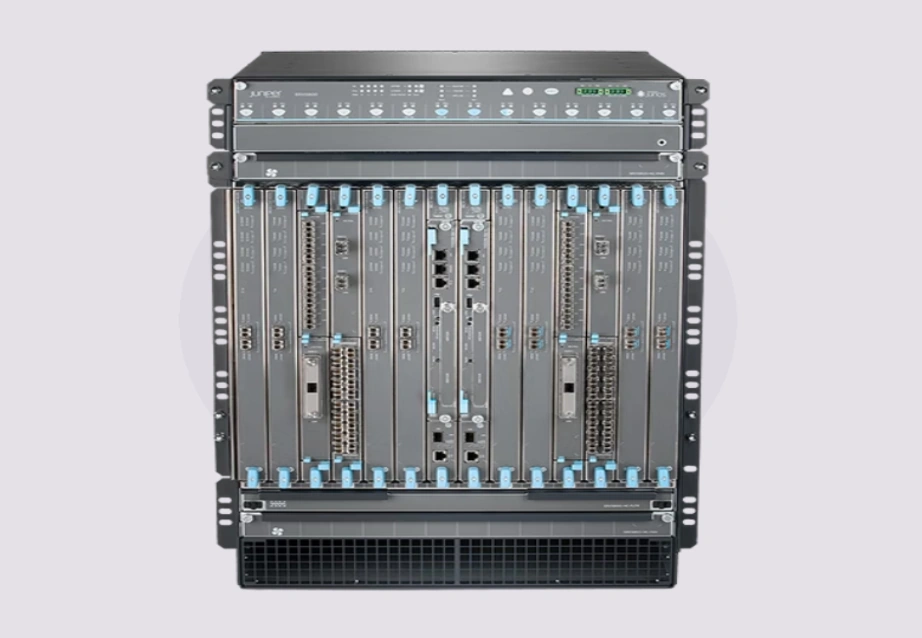
Juniper SRX Firewall speed checks should use real hybrid data conditions. Do not base them on idea tests. Strong units like the SRX5800 often go where data from many cloud links meet. Speed checks make sure that set gates handle top loads. They do this without service drops.
Designing High Availability and Failover Behavior
Juniper SRX Firewall backup design guards hybrid areas from single weak spots. Extra gates, matched setups, and tested switch methods keep business running. Plan backups during rollout. Do not wait for live issues.
Planning for Software Updates and Long-Term Lifecycle Management
Juniper SRX Firewall life planning backs steady work over the years of hybrid cloud plans. Think about software boosts, device update times, and growth early. This avoids big changes later. A clear life method helps businesses keep work steady as setups change.
How Huaying Hengtong Helps Reduce SRX Implementation Risk
Supporting Accurate SRX Model and Licensing Selection for Hybrid Cloud Projects
В Хуайинг Хенгтонг, we aid businesses by matching Juniper SRX Firewall unit picks to real rollout needs. As an IT gear seller and supplier, we help pick the right units like SRX5400, SRX5600, and SRX5800. We base this on project size, port needs, and rollout plans. This cuts buying risks.
Enabling Consistent Hardware and Firewall Supply Across Multi-Site Deployments
Huaying Hengtong offers project-based IT gear sales. These back steady SRX hardware supply over many rollout sites. This steadiness aids business IT teams and setup builders. It eases setup handling and skips match issues from mixed hardware sources.
Providing Project-Oriented Procurement Support for SRX Rollouts
Huaying Hengtong backs Juniper SRX Firewall rollouts with planned buying over single deals. Beyond network safety gear, we also aid business IT groups. We provide сервер tailoring, storage fixes, and hard drive sales. This allows linked setup rollouts.
Reducing Lead-Time and Supply Chain Uncertainty in SRX Implementation Projects
Huaying Hengtong cuts supply line doubts by backing set delivery times for SRX units and linked IT gear. In a hybrid cloud environment that works with fixed rollout slots, steady gear access plays a big part. It keeps firewall rollouts on time.
Часто задаваемые вопросы
Q: Which Juniper SRX Firewall models are suitable for hybrid cloud environments?
A: Juniper SRX Firewall models such as SRX5400, SRX5600, and SRX5800 are widely used in hybrid cloud environments due to their scalability and suitability for large enterprise deployments. The right model depends on traffic volume, interface density, and deployment architecture.
Q: How to choose a Juniper SRX Firewall for enterprise hybrid cloud security?
A: Choosing a Juniper SRX Firewall involves evaluating deployment scale, traffic patterns, licensing requirements, and long-term expansion plans. Many enterprises combine physical SRX gateways with virtual deployments to support hybrid environments.
Q: Juniper SRX Firewall vs other enterprise firewalls for hybrid cloud, which is better?
A: Juniper SRX Firewall is commonly selected for hybrid cloud environments because it supports both high-capacity physical gateways and virtual firewalls. The suitability of any firewall depends on integration needs, operational strategy, and infrastructure design.
Q: What should be included in a Juniper SRX Firewall implementation checklist?
A: A Juniper SRX Firewall implementation checklist should include platform selection, licensing alignment, baseline configuration, policy validation, performance testing, and lifecycle planning to ensure stable hybrid cloud operations.
Q: Where to source Juniper SRX Firewall hardware for large deployment projects?
A: Enterprises typically source Juniper SRX Firewall hardware through experienced IT equipment wholesalers and distributors that can support project-based procurement, consistent supply, and long-term deployment planning.